Mastering User Engagement with WordPress: The Ultimate Guide to Click Tracking and Heatmap Plugins
Introduction to User Tracking
Understanding user behavior is essential for enhancing WordPress site performance. By tracking user interactions, you can gain insights into what’s effective and what isn’t, boosting user experience and increasing conversions.
User Click Tracking
Discover which parts of your webpage attract the most attention and which call-to-action buttons drive interactions with comprehensive click tracking.
Behavior Insights
Gain valuable insights into user preferences and pain points to make informed decisions about your site design and content strategy.
Optimize User Experience
Implement plugins to simplify tracking, optimize content layout, improve navigation, and personalize journeys based on actual user data.
Why Use Heatmaps?
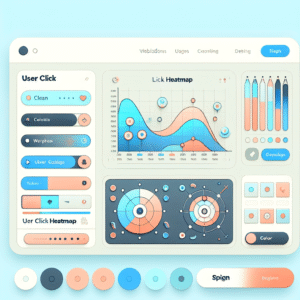
Heatmaps are essential tools for understanding user behavior on websites, providing a visual representation of data that illustrates where visitors are engaging most frequently. This dynamic way of visualizing user interaction offers rich insights that are invaluable for refining site layouts and boosting conversion strategies.
Imagine owning a store where you could actually see which aisles customers linger in and which products they pick up. Similarly, with a heatmap tool integrated into your WordPress site, you can track how users interact with different elements of your page. This immediate insight helps in making data-driven decisions that can enhance user experience and lead to higher conversion rates.
For example, if a WordPress heatmap plugin reveals that a significant number of users are clicking on an unlinked product image, you might consider turning that image into an actionable link. Such small changes, informed by heatmap data, can lead to considerable improvements in user navigation and site effectiveness.
Implementing a plugin to see where users click on WordPress can bring immediate clarity to understanding user journeys. You can pinpoint which parts of your page attract more attention and which areas are being ignored, allowing you to strategically place call-to-action buttons or important information where it’s most likely to be seen.
Enhance Engagement
Using heatmaps equips you with the power to make strategic improvements that streamline the user’s pathway through your site, ultimately leading to enhanced engagement and conversions.
Contact UsTop WordPress Heatmap Plugins
Discover the most effective heatmap plugins to boost user engagement and conversions on your WordPress site.
Hotjar
Gain insights on click, move, and scroll behaviors with this comprehensive free plugin. Ideal for small to medium-sized sites.
Learn MoreCrazy Egg
Combine heatmaps with A/B testing and session recordings to refine your conversion path. Free trial available.
Learn MoreMouseflow
Experience attention maps, click maps, and session replays to uncover user journey insights.
Learn MoreLucky Orange
With live chat, heatmaps, and recordings, view real-time site activity to enhance user experience.
Learn MoreUnlocking User Insights with Session Recording Tools
Leverage session recording tools to delve into your users’ journey, identify bottlenecks, and enhance user experiences.
Why Session Recording?
Session recording tools offer a window into your users’ journey. By capturing real-time interactions, businesses gain insights into engagement, navigation, and conversions. They enable you to pinpoint exactly where users drop off or encounter struggles, empowering developers and marketers to tailor effective experiences.
E-commerce Optimization
In e-commerce, session recordings can highlight barriers, such as convoluted forms, helping streamline user pathways and boost conversions. A notable retailer improved sales significantly by adjusting their cart review process after analyzing session insights.
User Behavior Analytics
For WordPress users, selecting the best session recording plugin provides robust insights. These plugins track mouse movements, clicks, and scrolls, revealing subtle behavior patterns unnoticed by traditional analytics.
Driving Strategic Decisions
Recording user activity allows site owners to move beyond guesswork, refining strategies with precise data. Embracing this approach not only tracks but understands and enhances the user experience, leading to higher engagement and success.
Combining Data for Results
Harness the power of heatmap and session data to drive smarter, data-driven decisions for site improvement.
Heatmaps
Visualize where users click and scroll. Discover which elements grab attention and which are ignored, paving the way for key insights.
Session Recordings
Unlock the ‘why’ behind user interactions with moment-by-moment replays of user journeys, revealing navigation paths and hidden issues.
Transform Your WordPress Site
Utilize WordPress plugins to easily integrate these insights into your dashboard, enhancing user engagement and boosting conversion rates effortlessly.
Learn MorePrivacy and User Tracking
Why Privacy Matters
In an age where data sensitivity is at an all-time high, respecting your users’ privacy is not just a legal obligation—it’s essential for building trust. Adopting transparent and compliant tracking practices ensures a robust relationship with your audience.
Compliant Tracking Practices
- Utilize privacy-focused WordPress heatmap tools such as Hotjar or Fathom Analytics.
- Anonymize user data and comply with regulations like GDPR and CCPA.
- Provide clear privacy policies discussing data use and storage.
Building User Trust
Educating your users through transparent communication fosters trust. A privacy policy page, explaining tracking practices and offering opt-out options, demonstrates your commitment to user privacy.
Setting Your Business Apart
By prioritizing user privacy and adopting compliant tools, you not only adhere to legal standards but also enhance your business’s reputation in a competitive digital environment.
Get in TouchOptimizing User Experience
Leverage user behavior insights for UX strategies that drive continuous improvement. Enhance engagement and streamline conversions effortlessly with the right tools.
Heatmaps & User Journeys
Use heatmaps to visualize user interaction points and journey maps to understand drop-offs. Tools like Hotjar and Crazy Egg facilitate this process.
- Identify key engagement areas
- Understand user behavior
- Maximize CTA visibility
A/B Testing Techniques
Implement A/B testing to refine headlines, button colors, and layout. This iterative process enhances conversions securely.
- Test diverse design elements
- Analyze interaction data
- Optimize for better results
Conclusion: Future-Proof Your Site
As we wrap up our exploration into optimizing your website with plugins, it’s important to keep an eye on the horizon. The digital landscape is ever-evolving, and staying ahead requires adaptability and foresight. Adopting the latest tools, such as the best WordPress plugins for 2025, can position your business for future success.
Stay Informed with Trends
Regularly update yourself with the latest plugins. Platforms like WordPress often release new features that cater to the changing needs of users and businesses alike. Following reputable tech blogs or joining online communities can help you anticipate and integrate these advancements early on.
Embrace Flexibility
Choose plugins that offer scalability and flexibility. This is especially important for small businesses looking for free WordPress plugins. Ensure they can accommodate growth and evolving business models without needing a complete overhaul of your website infrastructure.
Prioritize User Experience
Keep user experience at the forefront. With advancements in plugin technology, prioritize those that enhance engagement, loading speed, and accessibility. This will not only meet the immediate needs of your audience but also cater to future expectations.
Regular Audits and Updates
Conduct regular audits of your site’s plugins. Outdated plugins can lead to security vulnerabilities and performance issues. Ensuring everything is up-to-date, including security patches, helps maintain a robust, efficient website.
Feedback and Adaptation
Engage with your audience to gather feedback on their needs and preferences. This will enable you to make informed decisions about which plugins to add, change, or remove. Being user-focused in your approach will keep your site relevant and engaging.
By proactively applying these strategies, your website will be well-equipped to navigate the future, offering an engaging and seamless experience for your users. Remember, the key to staying relevant is to remain adaptable and responsive to both technological advancements and user expectations.
Browse Categories:
You may also like
The Best WordPress Heatmap Plugins to Enhance User Engagement
Discover the best WordPress heatmap plugins to boost user engagement and improve site performance with data-driven insights.

Unlocking User Insights: Best Plugins for Tracking and Engagement on WordPress
Discover essential WordPress plugins to boost user engagement by tracking behavior, visualizing interactions, and implementing 3D content.

Enhance User Experience with WordPress Heatmap Plugins
Discover how WordPress heatmap plugins enhance user experience and boost conversions with insightful user behavior tracking.