
Unlocking User Insights: The Best WordPress Heatmap Plugins for 2025
Introduction to Heatmap Plugins
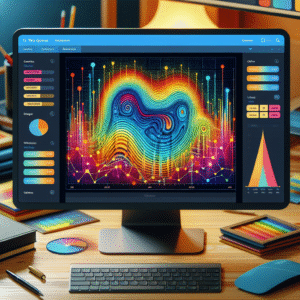
Understanding user behavior is crucial for optimizing your site. Heatmap plugins reveal valuable data on user interactions, highlighting areas of interest, confusion, and missed opportunities.

-
Visual Representation of Data
See where users click, scroll, and navigate, turning vague statistics into clear insights.
-
Actionable Insights
Identify popular zones and critical areas that need immediate attention or design tweaks.
-
Data-Driven Optimization
Make informed decisions to improve visibility, engagement, and conversions.
Why User Insights Matter
Track and Optimize
Understanding user insights is crucial for successful website optimization. Insights help you make informed decisions to enhance user experience and improve site performance.
- Identify popular content and engagement points.
- Pinpoint areas for improvement and potential bottlenecks.
- Uncover opportunities for growth and successful elements.
Key Tools and Benefits
Using a WordPress plugin to track user behavior, you can integrate tools like Google Analytics Dashboard for WP or Hotjar to visualize user data.
- Visual dashboards for real-time data.
- Optimize conversion funnels effectively.
- Drive meaningful changes for higher engagement.
Top Heatmap Plugins for 2025
Discover the essential heatmap plugins that transform data into actionable insights, enhancing user experience and boosting conversion rates on your WordPress site.
Hotjar
Renowned for its comprehensive features, offering click, move, and scroll heatmaps with device and location segmentation.
Crazy Egg
User-friendly interface with robust A/B testing, providing insights via click maps, scroll maps, and confetti reports.
Mouseflow
Includes session replay to watch user journeys and pinpoint SEO and UX issues by analyzing heatmaps and user flows.
Lucky Orange
Real-time analytics with features like visitor recordings and forms analytics, perfect for reducing cart abandonment on e-commerce sites.
Deep Dive into Session Recording
Unveil User Behavior
Session recording plays a pivotal role in understanding user behavior on your website by providing a playback of user interactions. This allows you to watch a user’s journey in real time, offering an unparalleled level of insight into engagement.
While heatmaps show where users click, move, or scroll, session recordings reveal the intricate details of user paths, unveiling issues a heatmap might miss, such as clicks on non-clickable elements during A/B testing.
Benefits of Combined Insights
- Identifies usability issues quickly
- Analyzes form funnels effectively
- Optimize conversion rates through data-driven decisions
- Enhances UX with granular navigation paths
Exploring Lightweight Options
Discover how lightweight heatmap plugins can provide essential insights without bogging down your WordPress site’s performance.
Crazy Egg
Respected for its ease of use and robust analytics, Crazy Egg offers a unique way to visualize user interactions with minimal performance impact.
Learn moreHotjar
Hotjar is a privacy-focused tool, anonymizing user data to comply with GDPR while maintaining your site’s speed.
Learn moreLucky Orange
Offering both user behavior analysis and live chat features, Lucky Orange is efficient and helps maintain quick load times.
Learn morePrivacy-Focused Heatmaps
Hotjar
Hotjar is designed with privacy in mind, offering adjustable privacy settings and compliance with international privacy laws by default.
Key Feature: Privacy settings that can be tailored to your specific needs while ensuring compliance with GDPR and CCPA.
Matomo
An open-source web analytics platform that allows data hosting on your server, guaranteeing control over the privacy and security of your user data.
Key Feature: Complete data control and self-hosting options maintain user data privacy and trust.
Integrating User Insights into Strategy
User insights are essential for refining your business’s online presence. By leveraging data from user interactions, you can significantly enhance the user experience on your site. Transform feedback into a strategic advantage, optimizing areas that need improvement and creating opportunities for growth.
Heatmaps
Visualize user interaction with heatmaps that highlight where users click most. Identify elements that capture attention and those that go unnoticed, to inform design improvements.
Session Recording
Real-session replays offer a view into user behavior. Observe where users face challenges or abandon tasks, enabling targeted enhancements to boost satisfaction and retention.
With actionable user insights, create a user-centric design strategy that stays ahead of the competition. Act today to meet the evolving expectations of your audience.
Alternatives and Conclusions
Crazy Egg
Leverages powerful heat mapping and A/B testing capabilities for precise user interaction analysis.
Mouseflow
Combines heat mapping with session replay for real-time visual insights into user behavior.
Lucky Orange
Offers a comprehensive suite including heatmaps, form analytics, and live chat ideal for small businesses.
WP Hotjar
WordPress-specific plugin with streamlined heatmap features for ease of use within the dashboard.
Selecting the Right Tool
When choosing a heatmap tool, balance cost, features, and integration with your website goals. Whether prioritizing ease of use or robust analytics, ensure your choice enhances user insights and site performance.
Get StartedBrowse Categories:
You may also like

Boost User Experience: Top WordPress Plugins to Track User Behavior
Discover essential WordPress plugins to track user behavior and enhance site UX with our top picks for heatmap and session…
Uncovering User Behavior: Top WordPress Heatmap Plugins for 2025
Discover the top WordPress heatmap plugins for 2025 to enhance user experience and track visitor behavior effectively.

The Ultimate Guide to WordPress Heatmaps and User Interaction Plugins
Discover essential WordPress heatmap tools and plugins to enhance user interactions and conversion rates.