
Maximize User Engagement: The Best WordPress Plugins to Track and Improve Visitor Interactions
Understanding User Engagement in WordPress
Discover the critical role user engagement plays in boosting your site’s performance and loyalty.
Why Engagement Matters
In the dynamic and competitive realm of online content, user engagement is crucial. It directly affects traffic, retention rates, and conversions, making it a key metric for success.
Key Insights:
- Leverage WordPress click tracking plugins to analyze site engagement.
- Personalize user journeys for increased retention and loyalty.
Optimize User Experience
Tools that track user behavior provide invaluable data about user interactions, helping you refine strategies and enhance overall user experience.
Interactive designs lead to more meaningful experiences on your site.
Engagement data isn’t just about metrics—it’s about transforming your website into a dynamic space that invites interaction and builds community.
Choosing the Right Tools for User Click Tracking
Understanding how users interact with your site is crucial to web optimization. Click tracking tools like WordPress heatmap plugins visualize user interactions, allowing you to identify which areas capture the most attention.
- Heatmaps for visual data
- Session recordings for detailed analysis
- Real-time reporting
Tools such as Crazy Egg, Hotjar, and Mouseflow offer comprehensive features like scroll maps and user surveys, providing valuable insights into user experience.
Exploring the Best Heatmap Plugins for WordPress
Visualizing user behavior on your website is crucial in enhancing engagement strategies. Discover the top heatmap plugins that provide actionable insights into your site’s performance.
Hotjar
Offers a comprehensive suite of heatmaps, session recordings, and surveys, ideal for gaining deep insights into user interaction.
Learn MoreCrazy Egg
Visualize visitor behavior with click maps, scroll maps, and A/B testing capabilities to improve conversion rates.
Learn MoreMouseflow
Offers heatmaps, funnels, and form analytics, with session replay for a video playback of each visitor’s journey.
Learn MoreLucky Orange
Known for dynamic heatmaps and real-time analytics, perfect for small to medium businesses looking to refine strategies.
Learn MoreInspectlet
Excels in session recording and form analytics, offering detailed insights into all website interactions.
Learn MoreBenefits of Session Recording Plugins
In the fast-paced digital landscape, understanding user behavior on your website is crucial for making informed decisions that enhance user experiences and ultimately drive conversions…
- Identify Roadblocks and Bottlenecks: Pinpoint areas where users frequently experience issues.
- Enhance User Experience: Optimize layouts for a smoother journey.
- Improve Conversion Rates: Remove friction to boost sales.
- Gather Qualitative Data: See the ‘why’ behind user actions.
- Support Data-Driven Decisions: Leverage recordings for A/B testing.
Exploring Alternatives to Hotjar for WordPress
Discover privacy-focused and cost-effective alternatives to Hotjar, ensuring robust tracking capabilities while maintaining data security.
Crazy Egg
Offers heatmaps, scrollmaps, and A/B testing with a user-friendly interface and privacy-first design.
Learn MoreMouseflow
Delivers session replay and funnel analysis with GDPR-compliant data protection.
Learn MoreFullStory
Offers real-time user tracking and session replay with advanced privacy settings.
Learn MorePlerdy
Focuses on conversion optimization with a privacy-first approach to data collection.
Learn MoreClarity by Microsoft
Free tool with advanced features including heatmaps and secure data handling.
Learn MoreHarnessing the Power of Free Tools
Explore the advantages and potential limitations of free tracking and analytics plugins tailored for small businesses and bloggers.
Accessibility
Free plugins offer functionalities such as tracking user engagement and analyzing visitor behavior, accessible to any business regardless of size.
Visual Analysis
Use heatmaps to visually analyze user interactions, helping optimize layouts and improve user experience for potential higher conversions.
Potential Limitations
Free versions often have restricted features, such as reduced data retention and fewer customization options, compared to premium versions.
Efficient Integration of Plugins into Your Workflow
Enhance your operations by integrating tracking plugins with minimal disruption and maximum data insights.
Start with Compatibility Checks
Ensure compatibility of plugins to visualize user interaction with existing systems to prevent potential conflicts.
Prioritize Simplicity and Functionality
Choose robust, intuitive plugins for user experience that offer powerful features without a steep learning curve.
Establish Clear Objectives
Define goals such as tracking interactions or gathering behavioral data to aid in selecting relevant plugins.
Test and Iterate
Conduct thorough testing and gather feedback to adjust and ensure value addition to operations.
Leverage Built-in Analytics
Utilize analytics features in plugins to gain insights into user behavior and optimize user experience.
Streamline your workflow with intuitive plugin integrations.
Future-Proofing Your Site with the Latest Plugins
In the rapidly evolving digital landscape, the importance of keeping your website updated with the latest plugins cannot be overstated. By incorporating the best WordPress plugins of 2025, site owners can not only enhance user engagement but also ensure their platforms remain scalable and adaptable to future trends.
- Embrace advanced customization and functionality to keep your site relevant.
- Utilize plugins designed to visualize user interaction for improved experience.
- Ensure robust security and performance with the latest updates.
Staying updated with the latest plugins not only prepares your site for future challenges but also positions your brand as a leader in innovation. Affording yourself the peace of mind that your website remains cutting-edge is one of the best strategies you can adopt.
- Drive sustained growth and success by integrating new technologies.
- Stand out by meshing new technological capabilities into your platform.
Browse Categories:
You may also like

Top WordPress Plugins to Enhance User Experience and Track Behavior in 2025
Discover essential WordPress plugins for 2025 to elevate user experience and track visitor behavior effectively. Ensure optimal engagement.

Mastering User Interaction: Essential WordPress Heatmap Plugins for Optimized Engagement
Explore must-have WordPress heatmap plugins to track user behavior and enhance site engagement with our comprehensive guide.
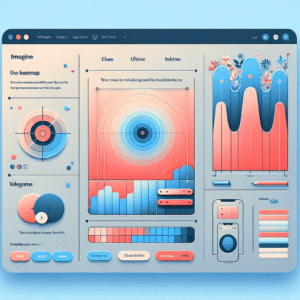
Unlocking User Insights: The Best Heatmap Plugins for WordPress
Discover the best heatmap plugins for WordPress to unveil user behavior insights, optimize site performance, and enhance user experience.