Unlock User Insights: Discover the Best WordPress Plugins for Click Tracking
Introduction to Click Tracking
Discover how understanding user interactions on your WordPress site can lead to better user experiences and higher conversions.
Why Click Tracking Matters
In the ever-evolving digital landscape, understanding how visitors interact with your WordPress site is crucial. Click tracking has emerged as a vital tool in website optimization. By capturing where users click, site owners gain invaluable insights into user behavior, enhancing user experience and boosting conversions.
Click tracking extends beyond popular link identification. It details user engagement, pinpointing areas of interest and distraction, informing design and content strategy for a seamless user experience.
Tools at Your Disposal
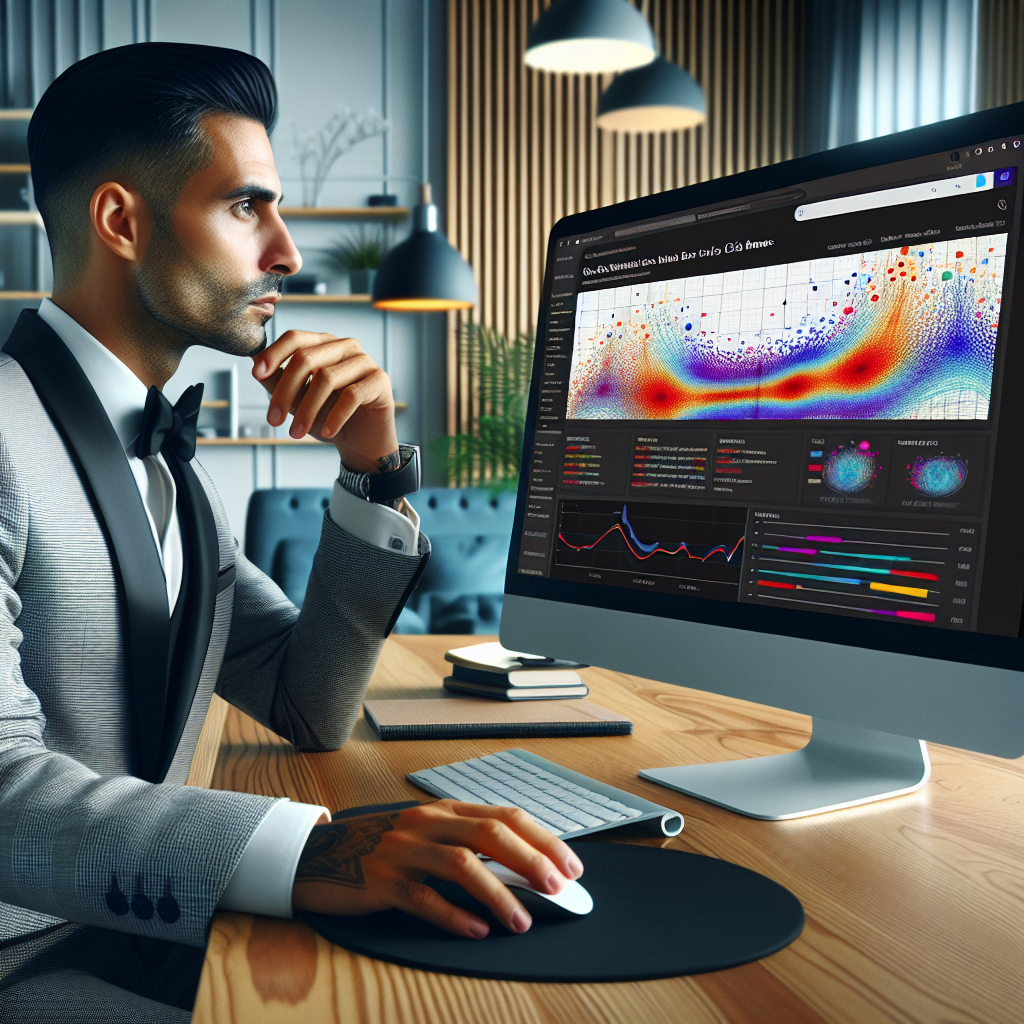
Utilize a WordPress heatmap plugin to graphically represent data and highlight click hotspots on your website pages. This visual approach helps identify attention-capturing elements and those that are overlooked.
A reliable plugin to see where users click on WordPress is crucial for real-time efficiency tracking, refining calls to action, simplifying navigation, and driving better engagement.
Understanding User Behavior
Explore how tracking user behavior can lead to actionable insights and enhance your website’s effectiveness.
Track User Interaction
- Capture critical data on site interactions like clicks and page views.
- Analyze time spent on pages and engagement with specific elements.
- Understand navigation paths to enhance user flow and experience.
Optimize User Experience
- Identify bottlenecks such as abandoned checkout processes.
- Streamline site layouts based on common user paths.
- Leverage insights for content strategy and site design improvements.
Top Plugins for Click Tracking
MonsterInsights
Seamlessly integrate Google Analytics into your WordPress dashboard with MonsterInsights. Monitor clicks on affiliate links, downloads, and outbound links effortlessly, enhancing your conversion strategy.
- User-friendly interface
- Comprehensive tracking features
- Robust analytics capabilities
Pretty Links
Perfect for affiliate marketers, Pretty Links manages and tracks shortened URLs, offering detailed reports and optimizing your marketing strategy effectively.
- URL management and shortening
- Click tracking and reporting
- Optimization insights
Clicky Analytics
Track real-time visitor activity with Clicky Analytics, featuring live updates and heatmaps for dynamic user interaction insights.
- Real-time visitor tracking
- Interactive heatmaps
- Live user activity feed
Hotjar
Hotjar goes beyond click tracking with session recordings, heatmaps, and feedback, providing deep user insights.
- Session recordings
- Comprehensive heatmaps
- User feedback polls
Lightweight Heatmap Solutions
In today’s fast-paced digital world, website efficiency is key to maintaining user engagement and satisfaction. Lightweight heatmap solutions play a pivotal role in ensuring your site runs smoothly, helping you gain insights without slowing down website performance.
Heatmap for WordPress
Designed to offer essential heatmap tracking without compromising performance, this plugin focuses on providing clear insights on user interactions with a minimal footprint.
Crazy Egg Integration
Known for its streamlined approach, Crazy Egg offers free plans with heatmap functionalities, perfect for newcomers looking to experiment without financial commitment.
Free vs. Premium Choices
Free Plugins
- Zero financial investment, ideal for limited budgets.
- Provides basic website functionality enhancements.
- Possible limitations: restricted features, limited support.
- Lack of regular updates could pose security risks.
Premium Plugins
- Comprehensive features, including advanced tracking.
- Priority customer support and regular updates.
- Enhanced data protection and privacy compliance.
- Requires financial investment.
Privacy Concerns and Safety
In our digital age, maintaining user privacy is more crucial than ever, especially when implementing tools to enhance website functionality. For those leveraging a plugin to visualize user interaction, it’s essential to choose ones that prioritize user privacy.
Enhanced Trust
By using privacy-centric technology, you show visitors that their data security is a priority.
Legal Compliance
Aligning with global privacy standards not only protects your users but also shields your business from potential legal issues.
Data Integrity
Anonymized tracking ensures that while you receive valuable interaction data, individual identities aren’t exposed.
Integrating Click Tracking with Analytics
Why Integrate Click Tracking?
Combining click tracking data with broader analytics tools delivers deep insights into user behavior, allowing you to see not only where users click but also understand their motivations. This creates a comprehensive picture of user interactions, providing data-driven decision-making capabilities.
Plugins like MonsterInsights or Jetpack facilitate seamless integration with platforms like Google Analytics, unveiling trends that help optimize user experiences and increase site performance.
Key Benefits
- Enhance user engagement and conversion metrics through detailed insights.
- Tailor content and design to better meet user needs.
- Optimize site navigation for an intuitive and engaging user experience.
Conclusion and Next Steps
As we wrap up this exploration of optimizing your WordPress site, it’s important to take what you’ve learned and put it into practice. Begin by assessing your current plugins and consider integrating a WordPress heatmap plugin to better understand user interactions on your site.
Looking ahead, staying updated with the best WordPress plugins of 2025 can keep your website competitive and innovative. This forward-thinking approach boosts your site’s functionality while enhancing performance and security.
-
Create a checklist of strategies, such as regular site audits and optimizing loading speed.
-
Engage with the latest plugin technologies to elevate your site’s effectiveness.
-
Experiment and analyze results to constantly improve and adapt.
Browse Categories:
You may also like
Top Plugins to Visualize User Interaction on WordPress
Explore top WordPress plugins to visualize user interaction and enhance your website's user experience and conversions.

Maximizing User Engagement with WordPress Click Tracking and Heatmap Plugins
Discover how WordPress click tracking and heatmap plugins enhance user engagement and site conversions with our top plugin picks.
Unveil Visitor Insights: Discover the Best WordPress Heatmap and User Click Tracking Plugins
Discover essential WordPress plugins to track user clicks and behaviors, accelerating your website conversions effectively.