
Boost User Engagement with Heatmap & Session Recording Plugins for WordPress
Introduction to WordPress Heatmap Plugins
Enhance user interactions and optimize your WordPress website with insightful heatmap tools.
Why Use Heatmap Plugins?
-
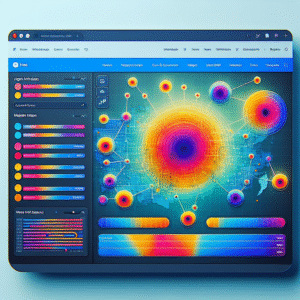
Visual insights into user interactions highlight click patterns, scrolling habits, and time spent on pages.
-
Discover uncapitalized interests, such as clicks on non-linked images, to boost engagement and conversions.
-
Identify the most engaging call-to-action buttons, allowing for strategic placement adjustments.
“Leveraging data through heatmaps creates more intuitive experiences, transforming user engagement into higher conversion rates.”
Benefits of Click Tracking on User Engagement
Understanding where users click on your website can dramatically enhance insights into user behavior and preferences. By employing a WordPress user click tracking plugin, you can tailor the user experience to better meet the needs of your audience.
- ● Improved User Experience: By identifying and tailoring the most interacted elements, you can simplify navigation and reduce user frustration.
- ● Enhanced Conversion Rates: Effective click tracking helps optimize call-to-actions (CTAs) by placing them in positions of high visibility and interaction.
- ● Informed Content Strategy: Understanding click patterns helps in determining what content resonates most with users.
- ● Data-Driven Decisions: Clear insights from click tracking empower factual page layout and content placement decisions.
Refine Your User Journey
Start leveraging a plugin to see where users click in WordPress to gain these valuable insights. Boost engagement and conversion rates by aligning your efforts with users’ natural tendencies.
Learn MoreThe Importance of Session Recording Plugins
Session recording plugins offer deep insights into user behavior, enabling website optimization and enhanced user experiences.
Understand User Behavior
Watch real-time playback of users’ journeys to identify how they interact with site elements and uncover potential pain points.
Optimize For Engagement
Leverage insights from heatmaps and conversion funnels to make informed decisions that enhance user engagement and experience.
Drive Conversion
Use conversion paths and A/B testing data to troubleshoot, design strategies, and create a user-centric experience that drives growth.
Top Free Heatmap Plugins for WordPress
Explore our selection of free heatmap tools designed to improve user engagement for WordPress sites. Enhance usability without additional costs.
Hotjar
Visualize user engagement with heatmaps, recordings, and surveys. Perfect for going beyond basic data insights.
Crazy Egg
Offers click data, scrollmaps, and confetti reports through a simple plugin, perfect for every skill level.
Plerdy
Privacy-focused tool ensuring GDPR compliance, ideal for those prioritizing secure data collection.
Mouseflow
Offers up to 500 recordings per month, highlighting clicks, movement, and attention spots for comprehensive overview.
Session Recording vs. Heatmaps: Which to Choose?
Session Recordings
Gain a microscopic view of user interactions by capturing every mouse movement, click, and scroll on your site. Perfect for identifying problems like confusing navigation and friction points. Integrate smoothly with WordPress using top session recording plugins.
Heatmaps
Get a macroscopic view of user activity, showcasing hot spots where users most frequently interact. Ideal for assessing design effectiveness, and quickly making data-driven decisions by using WordPress heatmap integrations.
Combining both tools provides a comprehensive understanding of user behavior, allowing for a more intuitive and user-friendly website.
Privacy Considerations with User Tracking
Understanding the privacy implications of tracking users can help in using these tools responsibly and ensuring compliance with privacy laws.
Transparency and Consent
Clearly inform users of data tracking, and obtain their consent through tools like cookie consent banners. This enhances transparency and compliance with regulations like GDPR.
Data Anonymization
Anonymize user data to protect identities, using privacy-focused tools that avoid unnecessary information collection and promote user trust.
Data Minimization
Focus on collecting only essential data. This approach mitigates risk and maintains a healthy balance between gathering insights and protecting user privacy.
Effective Alternatives to Hotjar for WordPress
Crazy Egg
User-friendly interface, offering heatmaps and A/B testing for WordPress.
- Heatmaps & Scroll Maps
- A/B Testing
- Seamless WordPress Integration
Mouseflow
Advanced session replay and detailed behavioral insights.
- Session Replay
- Funnel Analysis
- User Feedback Tool
Lucky Orange
Comprehensive tools including heatmaps and live chat features.
- Dynamic Heatmaps
- Session Recordings
- Conversion Funnels
WP Hotjar
Tailored specifically for WordPress, bringing Hotjar’s features to a WP environment.
- WordPress Optimized
- All Core Features
Conclusion and Call to Action
In conclusion, the right plugins can transform your website from good to great by significantly enhancing functionality, user experience, and overall engagement. Finding the best WordPress plugins for 2025 should be a priority for anyone looking to stay ahead in the digital landscape. Whether you’re aiming to optimize loading speeds, improve SEO, or boost social sharing, there’s a plugin designed to meet every need.
By focusing on must-have WordPress plugins for user experience, you’re investing in a crucial aspect of digital presence that directly influences visitor satisfaction and retention. Expanded user journeys lead to increased interactions, longer visit durations, and ultimately improved conversions.
Now is the perfect time to apply what you’ve discovered. Assess your website’s current setup and identify areas where plugins could provide an edge. Dive into the vast library of WordPress plugins and let innovation drive your website forward.
Explore Plugins Now Get in TouchBrowse Categories:
You may also like
Top WordPress Heatmap and User Tracking Plugins to Enhance Your Site’s UX
Enhance your website's user experience with our top picks for WordPress heatmap and user tracking plugins, featuring tips and real-world…

How to Optimize User Engagement with WordPress Heatmap and Tracking Plugins
Discover WordPress plugins to enhance user engagement through heatmaps and session recordings. Track behavior and optimize conversions effectively.
How to Optimize User Experience on WordPress with Heatmaps
Learn to enhance user experience on WordPress with heatmaps, tracking user behavior for improved engagement and conversions.