
Master User Interaction: The Best Heatmap and 3D Viewer Plugins for WordPress
Understanding User Click Tracking
Uncover how user click tracking can revolutionize your WordPress site, boosting engagement and optimizing user experience.
What is User Click Tracking?
User click tracking involves monitoring and analyzing user clicks to understand their interaction patterns on your webpage.
Benefits of Click Tracking
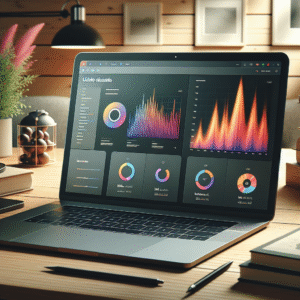
- Visualize interactions using heatmaps to identify popular site areas.
- Make data-driven decisions about website design and content placement.
- Optimize navigation paths, ensuring convert-intensive areas stand out.
Top Heatmap Plugins for WordPress
Heatmap plugins can be an invaluable asset for WordPress site owners looking to optimize user interaction and enhance user experience. By offering visual insights into user behavior, these plugins allow you to see which areas of your website are attracting the most attention. Let’s explore some of the top heatmap plugins available for WordPress to help you determine which might be the best fit for your site.
Crazy Egg
Known for its robust features, Crazy Egg offers a comprehensive suite of heatmap tools. It provides scroll maps, confetti maps, and overlay reports that reveal where users are clicking on your pages, ideal for all levels.
Hotjar
Highly popular due to its versatile features, Hotjar combines heatmap functionality with session recordings and feedback polls, allowing you to visualize and understand user interaction effectively.
Mouseflow
Offers advanced tracking capabilities including session replay and geographical data breakdown, making it perfect for those seeking detailed insights into user behaviors.
Inspectlet
Designed for detailed insights, Inspectlet allows tracking of mouse movements, clicks, scrolls, and typing motions, providing clear visibility into user sessions.
Lucky Orange
A great all-rounder providing heatmaps, session recordings, and real-time analytics, alongside live chat and surveys for enhanced engagement.
Matomo
Choose Matomo if privacy is key. This open-source platform ensures GDPR compliance with strong privacy policies and data ownership features.
Why Session Recording Matters
Understanding the nuances of how visitors interact with your website can be the key to unlocking higher conversion rates and improved user experience. This is where session recording becomes pivotal.
-
Gain Actionable Insights
Capture the sequence of user actions such as clicks, taps, and scrolling behavior to understand real user experiences.
-
Identify Pain Points
Uncover navigation frustrations that analytics can’t show, helping you resolve issues like unresponsive buttons.
-
Optimize Performance
See your website through visitors’ eyes to make data-driven decisions, refining the user experience and increasing satisfaction.

Alternatives to Hotjar for WordPress
Explore powerful insights into user behavior while ensuring privacy and cost-effectiveness for your WordPress site.
Discover MoreCrazy Egg
Dive into robust heatmaps and visualize user engagement with clear insights.
Mouseflow
Gain real-time insights with session recordings and heatmaps to fine-tune conversions.
Piwik Pro
Ensure data privacy with comprehensive analytics tailored for compliance.
Lucky Orange
An affordable suite for small businesses to efficiently track user behavior.
Clarity by Microsoft
Experience a zero-cost solution providing rich insights without performance trade-offs.
Introduction to 3D Viewers in WordPress
In today’s digital landscape, where engaging content is key to capturing visitors’ attention, 3D viewers on WordPress offer an exciting way to elevate the visual experience of your website. Whether you’re showcasing products, architectural plans, or educational content, 3D models provide an interactive and immersive dimension that static images simply can’t achieve.
Interactive & Immersive 3D Experience
Imagine a potential customer being able to rotate and zoom in on a product to inspect its details thoroughly, or a student exploring a 3D representation of a complex molecule. These scenarios become possible through WordPress 3D viewer plugins.
- Enhanced Product Visualization for E-commerce
- Richer Educational Content
- Improved Architectural Presentations
Accessible Integration for All Users
For WordPress users, embedding 3D models is increasingly accessible with numerous plugins providing user-friendly interfaces that require no advanced technical know-how.
By incorporating 3D viewer plugins, you unlock the potential to enhance user experience, ultimately increasing engagement and retention.
Learn MoreBest 3D Viewer Plugins for WordPress
Incorporating 3D elements into your WordPress site can significantly enhance user engagement and provide a rich, immersive experience that captivates your audience.
3DViewer
Known for its simplicity and effectiveness, 3DViewer allows easy integration of 3D models into any page or post, supporting multiple file types.
- Lightweight plugin
- Supports OBJ, FBX, STL
- Easy integration
Sketchfab
Embed 3D models stored on Sketchfab directly into your site. Perfect for artists and designers showcasing interactive 3D content.
- Seamless integration
- Robust community
- Interactive models
WP-VR-view
Versatile enough to display 3D content effectively, WP-VR-view is useful for virtual tours and interactive displays.
- Focus on VR and 3D
- Mobile compatibility
- User-friendly
Three.js
Integrate Three.js through custom code for highly customizable 3D visualizations, ideal for developers exploring advanced web graphics.
- Customizable visualizations
- Advanced web graphics
- Unparalleled control
Choosing the Right Plugin for Your Needs
Choosing the right plugin is crucial to enhancing the functionality and user experience of your WordPress site. With thousands of options available, particularly for small businesses, it’s important to consider what truly meets your site’s needs without overwhelming it with unnecessary features.
Define Your Business Requirements
Start by outlining your business requirements and website goals. Are you looking to improve your site’s user experience, or are you focusing on boosting its search engine optimization?
Evaluate Plugin Reliability
Consider the reliability and reviews of the plugins you’re interested in. A plugin with positive feedback and consistent updates from its developers is often a safer choice.
Leverage Free Options
Many free WordPress plugins offer essential functionalities without the steep investment. Excellent examples include Yoast SEO and WooCommerce.
Before adding a new plugin, check its compatibility with your current WordPress version and existing plugins to avoid technical conflicts. Ensure the plugin aligns with your business’s immediate needs and integrates seamlessly.
Conclusion and Next Steps
In today’s digital landscape, creating an engaging and interactive user experience is paramount for any website owner. By leveraging the best WordPress plugins 2025 has to offer, particularly those designed for heatmaps and 3D elements, you significantly enhance the way users interact with your site.
-
Heatmap plugins allow you to visualize user interaction, providing insights into content engagement and click patterns. This data is invaluable for optimizing layout and improving user experience.
-
3D plugins can add depth and interest to your site, capturing attention and making your website more memorable, unlocking new opportunities to innovate and engage with your audience.
Why wait? Explore the available plugins today to elevate your WordPress site and stay ahead in an ever-evolving marketplace.
Explore Plugins NowBrowse Categories:
Tags for this post:
You may also like
The Definitive Guide to WordPress User Click Tracking and Behavior Analysis
Learn how to optimize your WordPress site with user click tracking and behavior analysis using the best plugins available today.

The Best WordPress Plugins for Enhancing User Interaction: Heatmaps and 3D Views
Discover the best plugins to enhance WordPress user interaction through heatmaps and 3D views, improving website engagement and presentation.

Top AI-Powered WordPress Plugins to Elevate Your Site in 2025
Discover essential AI-powered WordPress plugins to enhance your website's performance and engagement in 2025.