
Top 10 WordPress Plugins to Boost User Engagement in 2025
Introduction to Engaging Plugins
In today’s digital landscape, user engagement is crucial for the success of any online platform. As more businesses migrate online, keeping users captivated becomes a challenge that demands innovative solutions. One effective way to enhance user interaction is through the use of plugins. Plugins offer vast possibilities, from optimizing website performance to improving user experience, making them indispensable tools for modern web development.
Enhance social sharing capabilities to make your content go viral effortlessly.
Leverage SEO tools to boost your search engine visibility and attract more visitors.
Implement interactive contact forms to foster meaningful user interactions.
Exploring the realm of plugins unveils the best WordPress plugins of 2025, ideally suited to elevate user experience into new heights. From chat systems that foster real-time interactions to immersive galleries that enhance visual storytelling, these plugins are designed with the contemporary user in mind. Recognizing the potential of such tools not only helps maintain user interest but also drives repeat visits and deeper engagement.
Understanding User Behavior on WordPress
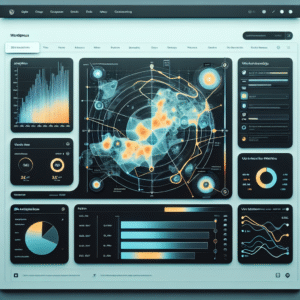
Tracking user behavior is vital for improving website experience. Heatmap plugins offer a powerful solution.
Why Track User Behavior?
Knowing how users interact with your content can reveal which areas of your site are most effective and which need improvement. By tracking user behavior, you can make informed decisions that lead to higher engagement and conversion rates.
Heatmap Plugins
Heatmap plugins graphically represent user interactions, showing where users click, hover, and scroll. This makes it easy to see what captures their attention and identify if important content is being overlooked.
Top Heatmap Plugins
-
Hotjar
Offers comprehensive heatmaps and behavioral analytics to understand user interactions.
-
Crazy Egg
Provides insights on where users click and how they navigate, with easy-to-understand visualizations.
Choosing the Right Heatmap Plugin
Selecting a heatmap plugin can dramatically enhance your ability to analyze user interaction data. Learn the key criteria to ensure your choice aligns with your needs, especially if privacy is a concern.
Ease of Integration and Use
Look for plugins with straightforward installation and an intuitive interface, minimizing the need for technical expertise.
Functionality and Features
Choose plugins offering features that meet your business goals, from basic click tracking to session recordings.
Real-Time Data
In fast-paced environments, real-time tracking helps in making immediate user behavior adjustments for quick gains.
Privacy Features
Privacy-focused options like Lucky Orange and Hotjar mask text inputs and anonymize IPs, ensuring compliance with data protection laws.
Best Session Recording Plugins for WordPress
In an increasingly digital world, understanding user behavior is crucial for website owners seeking to enhance user experience and improve conversion rates. Here’s a round-up of some of the best session recording plugins for WordPress that align with various user needs and goals.
Hotjar
Widely regarded as the best session recording plugin, Hotjar provides heatmaps, session recordings, and surveys to enable you to enhance user experiences.
Mouseflow
Record user activity and create funnels to visualize user journeys, coupled with click heatmaps and feedback campaigns for in-depth user behavior analysis.
Lucky Orange
Featuring a user-friendly interface with session recording and live chat support, ideal for lead generation and immediate user assistance.
Smartlook
Offering free heatmaps and recording tools, Smartlook is accessible for smaller websites looking to gain insights on a budget with easy WordPress integration.
Guide to 3D Viewer Plugins for WordPress
Imagine transforming your website into an interactive canvas where users can explore your products from every angle, enhancing not just visual engagement but also the perceived value of your offerings. With advancements in technology, incorporating 3D models into your WordPress site has never been easier, thanks to specialized plugins designed for this purpose.
Sketchfab
Known for its impressive library of community-submitted 3D models, Sketchfab allows seamless integration into WordPress posts or pages, captivating visitors’ attention with ease.
No coding required • Interactive 3D viewer • Extensive model library
WPVR
WPVR offers robust features for tailoring the 3D viewing experience to your brand’s aesthetics, perfect for showcasing complex products or projects.
High-resolution images • Customizable viewer • Brand integration
3DPress
Supports VR and AR modes with a user-friendly interface that requires no coding skills, making it a versatile choice for embedding 3D models.
VR/AR support • Easy to use • No coding required
By leveraging these plugins, web creators can craft immersive experiences that differentiate their websites and leave a lasting impression.
Get in TouchImproving Conversions with the Right Plugins
Harness the power of strategic plugins to boost your digital engagement and conversion rates.
OptinMonster
Create stunning pop-ups and opt-in forms. Engage visitors at the right moment with advanced targeting to enhance subscription and sales efforts.
MonsterInsights
Visualize user interactions on your site. Gain insights into user behavior for smarter content and marketing strategies, improving conversion funnel efficiency.
WooCommerce
Optimized for eCommerce sites—track inventory, manage products, and deliver personalized shopping experiences to increase conversion rates.
Exploring Free WordPress Plugin Options
Unlock the full potential of your website without spending a dime by exploring these valuable free plugins. Designed to enhance your website’s functionality effectively, these tools are perfect for small businesses and solo bloggers who are budget-conscious.
Heatmaps.io
Analyze user interaction with your website through visual heatmaps, helping you optimize for higher engagement and conversions.
Learn MoreYoast SEO
Boost your SEO strategies for free with this comprehensive tool that covers keyword management and meta tags, elevating your online visibility.
Learn MoreWordfence Security
Protect your site from threats with endpoint firewall and malware scanning, all without any cost, keeping your peace of mind.
Learn MoreElementor
Create stunning and professional pages effortlessly with Elementor’s free drag-and-drop page builder capabilities.
Learn MoreIntegration Tips and Best Practices
Smoothly integrate plugins into your existing WordPress setups with these practical tips, ensuring a streamlined site enhancement process.
Research Plugins Thoroughly
Investigate plugin reviews, ratings, and update frequency to ensure security and compatibility with the latest WordPress version.
Backup Before Installation
Create a complete backup of your site before adding new plugins to easily restore previous states if issues arise.
Test in a Staging Environment
Use a staging environment to identify conflicts without affecting the live website, ensuring uninterrupted visitor experience.
Monitor Performance
After installation, closely monitor site performance with tools like Google PageSpeed Insights to maintain speed and responsiveness.
Limit Redundancies
Avoid overlapping functionalities by auditing existing plugins, reducing potential conflicts and enhancing security.
Ensure Compatibility
Ensure compatibility with your theme and other plugins to prevent broken features and compromised user experiences.
Browse Categories:
Tags for this post:
You may also like
Enhancing User Interaction on Your WordPress Site with Heatmap Plugins
Learn how to enhance your WordPress site's performance and user interaction metrics using top heatmap plugins with this comprehensive guide.

Boosting User Engagement with Top WordPress Heatmap Plugins
Discover top WordPress heatmap plugins to enhance user engagement and improve conversions through insightful analytics.

Mastering User Interaction: Top WordPress Heatmap Plugins for 2025
Discover the best WordPress heatmap plugins to enhance UX and track user behavior for greater insights in 2025.