
Unlocking the Power of WordPress: Ultimate Plugins for User Interaction Tracking and 3D Visualization
Understanding User Interaction on WordPress
Understanding user interaction is crucial for anyone looking to enhance their WordPress site’s performance and user experience. By keeping an eye on how visitors engage with your website, you can gather valuable insights that inform your strategic decisions.
Why Track User Behavior?
Tracking user behavior is like having a virtual map that shows where your users are going and what they’re interested in. For example, you might find out that a specific blog post or product page is receiving significantly more attention.
Real-World Benefits
Real-world benefits include increased engagement, higher conversion rates, and improved customer satisfaction. By identifying which areas of your website are working well and which are not, you can make informed changes that lead to measurable improvements.
Simplify with WordPress Plugins
Using a WordPress plugin to track user behavior simplifies this process considerably, allowing for automated data collection and insights generation without the need for extensive technical knowledge.
Set the Stage for Improvement
Start by exploring the plethora of tools available to track user interactions on your WordPress site. This foundational step ensures that every subsequent improvement is backed by concrete data, paving the way for strategic growth and user satisfaction.
Introduction to Heatmaps on WordPress Sites
Discover how heatmaps visualize user behavior, turning complex data into intuitive insights for optimizing your WordPress site.
What are Heatmaps?
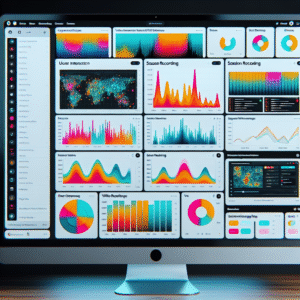
Heatmaps are dynamic visualization tools that use colors to show user interaction on web pages. Just like a weather map displays temperatures, heatmaps display areas of highest engagement on your site.
- Identify where users click most frequently.
- See how far users scroll on your pages.
- Highlight sections that capture the most attention.
Benefits for WordPress Sites
Implementing heatmaps on your WordPress site provides vital insights into user engagement and behavior, allowing you to make informed design decisions.
- Redesign underperforming sections with confidence.
- Position key content for maximum impact.
- Use privacy-focused tools to comply with regulations.
Top Heatmap Plugins for WordPress
Discover the power of heatmap plugins to transform your site’s conversion rates with detailed user interaction insights.
Crazy Egg
Crazy Egg offers intuitive heatmaps, scroll maps, and traffic segmentation for a deep dive into user behavior.
Hotjar
Not just heatmaps; Hotjar includes session recordings and conversion funnels for comprehensive analytics.
Mouseflow
Session recordings and heatmaps identify conversion bottlenecks, making Mouseflow invaluable for optimization.
Lucky Orange
An all-in-one tool offering heatmaps, analytics, and live chat to boost user engagement and conversions.
Inspectlet
Capture video recordings of user sessions and heatmaps to uncover the most engaging parts of your site.
Key Features of Session Recording Plugins
Session recording plugins have revolutionized the way website owners understand user behavior, providing a more detailed view beyond what heatmaps offer. By selecting the best session recording plugin for WordPress, you can achieve comprehensive user activity insights.
- Full User Journey Playback: Replay entire sessions to see user navigation, linger points, and drop-offs, optimizing experiences.
- User Interaction Details: Capture clicks, scrolls, and form entries to spot pain points and determine engaging site elements.
- Filtering and Segmentation: Filter sessions by criteria such as new vs. returning users to identify patterns and optimize strategies.
- Privacy Controls: Utilize tools to mask or anonymize data to comply with GDPR and protect user privacy.
- Heatmap Integration: Seamlessly connect with heatmap tools for a complete overview and informed design decisions.
Why Choose the Right Plugin?
Gain deeper insights into user behavior, creating more engaging and efficient user experiences. Whether aiming to boost sales, improve UI, or understand visitors, these plugins are essential tools.
Contact UsChoosing the Right Tools for User Engagement
Gain insights and make informed decisions to boost your site’s user experience and performance.
Pros and Cons of Click Tracking Plugins
- Track real-time user behavior for enhanced engagement.
- Visually represent user interaction with heatmaps.
- Consider potential load time effects and privacy implications.
Alternatives to Hotjar
- Crazy Egg: Offers heatmaps, recordings, and A/B testing.
- Mouseflow: Emphasizes session replays and user journey tracking.
Introduction to 3D Visualization on WordPress
Discover how embedding 3D models on WordPress can enhance user engagement, from transforming product displays to detailed architectural views, offering an immersive, interactive experience that captivates and informs your audience.
Why 3D Visualization?
3D visualization is revolutionizing web content presentation, particularly on platforms like WordPress, by making it possible to embed immersive experiences that engage users more effectively than traditional imagery. Key industries like real estate, automotive, and online retail harness 3D views to influence purchasing decisions by providing a comprehensive visual understanding of products.
Benefits of Using a 3D Viewer Plugin
- Easy integration and setup without coding
- Support for various 3D file formats ensuring compatibility
- Responsive design for seamless experience across devices
Best Plugins for Displaying 3D Content
Discover the power of 3D content to elevate your website’s aesthetics and interaction. With these plugins, embedding 3D models has never been easier, offering a unique and captivating way to engage your audience.
Sketchfab
Embed 3D models with ease, ideal for ecommerce, education, and entertainment. Benefits both beginners and developers with a vast library.
Learn MoreAR for WordPress
Lightweight plugin that integrates AR with 3D models, ensuring fast loading times and high-quality representation.
Learn MoreWP VR – 360 Panorama and 3D Viewer
For customizable VR and 3D views, it provides an immersive format without compromising performance.
Learn MoreEnhance Your WordPress Site with Interactive Plugins
Imagine transforming your WordPress site from a static page into a dynamic, interactive experience for your visitors. Leveraging the power of robust plugins can significantly boost user engagement, enhance functionality, and improve the overall aesthetic appeal of your site.
- Enrich user experience with features like social sharing and live chat
- Optimize for search engines with plugins like Yoast SEO
- Boost functionality for small businesses with event calendars and e-commerce solutions
- Expand personal blog reach with social media plugins
Benefits of Plugin Integration
By integrating the right plugins, you not only keep your visitors engaged but also stay ahead in the digital race. Start exploring these plugins today and witness firsthand how they can elevate your WordPress site into a vibrant, interactive platform that captivates visitors and drives growth.
Browse Categories:
Tags for this post:
You may also like
Maximize Your Site’s Potential: Essential WordPress Plugins for 2025
Discover must-have WordPress plugins for 2025 to boost AI, user tracking, and conversions effortlessly.
Boosting Engagement: The Best WordPress Plugins for User Interaction Tracking
Discover top WordPress plugins for tracking user interactions and boost your site's engagement and user experience.

Unlocking User Insights: The Best WordPress Plugins for Click Tracking and Behavior Analysis
Discover top WordPress plugins for user click tracking and behavior analysis to enhance your site and boost engagement.