
Enhance Visitor Insight with Top WordPress User Tracking Plugins
Understanding the Importance of User Tracking
In today’s digital landscape, understanding how users interact with your website is more critical than ever. By effectively tracking user behavior on your WordPress site, you can gain invaluable insights into user preferences, behaviors, and journey paths.
Optimize Conversion Rates
Tracking reveals potential bottlenecks where users might drop off, allowing you to optimize the journey for increased conversion rates. Whether for eCommerce sites or informational blogs, these insights are crucial.
Enhance User Experience
Understanding user interactions helps tailor user experiences, fostering engagement and satisfaction. Real-world success stories abound showing boosted retention and smoother site navigation.
Explore the Best Tracking Plugins
As you explore ways to gain deeper insights into your audience, the next step is to delve into plugins that simplify and enhance the process of tracking user behavior, providing you with the tools to truly understand and cater to your audience’s needs.
Discover PluginsTop Heatmap Plugins for WordPress
Hotjar
Hotjar provides an in-depth feature set including click, move, and scroll heatmaps, which help in visualizing user behavior. Offers a basic plan ideal for small websites.
Heatmap for WordPress by Heatmap.me
A free plugin offering live heatmaps directly in your WordPress dashboard, highlighting real-time interactions with a straightforward setup.
Crazy Egg
Crazy Egg offers heatmaps, confetti reports, and scroll maps, ideal for understanding user actions and improving conversion rates with a free trial available.
Best Session Recording Plugins for In-depth Analysis
Enhance user experience and optimize your website’s performance with session recording plugins. These tools provide invaluable insights by watching real user interactions on your website.
Contact UsHotjar
Watch recordings of user sessions to gain insights on clicks, scrolls, and ignored content. Ideal for identifying usability issues.
Crazy Egg
Beyond heatmaps, Crazy Egg offers session playback to understand user behavior and improve conversion rates.
Mouseflow
Seamlessly integrates with WordPress to track clicks, taps, and interactions, ideal for a comprehensive view of user journeys.
Overview of Click Tracking Plugins
Understand where your users are clicking and improve your website’s design and functionality. These plugins offer detailed insights into user behavior for optimized engagement and performance.
User Behavior Insights
Identify hotspots and areas needing redesign with precise click tracking data. Optimize user experience by understanding interaction patterns.
Learn MoreEnhance SEO Strategies
Use click data to understand which links draw the most traffic, allowing you to replicate successful designs and improve content placement.
Discover MoreBoost Conversions
Leverage analytics to make smarter design and content decisions that align with user behavior, leading to a more engaging site experience.
Find Out MoreChoosing the Right Plugin for Your Needs
In today’s digital landscape, the right plugin can dramatically enhance your website’s functionality and, ultimately, its success. However, choosing the best plugin to improve conversions on WordPress — or any other specific goal you have — requires careful consideration of several factors.
Identify Your Primary Objectives
Are you looking to increase e-commerce sales, improve site speed, enhance user engagement, or streamline your content management?
Choose the right type of plugin based on your primary goal.
Consider Compatibility and Support
Ensure compatibility with your WordPress version and existing plugins and check for regular updates and support.
Proper support prevents potential disruptions and security risks.
Check Reviews and Ratings
High ratings and positive feedback suggest reliability and effectiveness. Read reviews to gauge real-world functionality.
Testimonials offer invaluable insights.
Assess Impact on Site Performance
Some plugins may slow down your site; choose plugins known for their lightweight design or performance-enhancing features.
Maintain a fast and user-friendly experience.
Considering Privacy in User Tracking
In today’s digital landscape, user tracking is a powerful tool that provides key insights into visitor behavior and website performance. However, with great power comes great responsibility, especially regarding user privacy.
Importance of Transparency
Clearly explain to users what information is being collected and how it will be used through detailed privacy policies and easy-to-understand notices.
Using Privacy-Focused Tools
Adopt privacy-focused WordPress heatmap tools that emphasize anonymization, helping you understand user behavior without collecting personally identifiable information.
Respecting User Preferences
Provide options for users to opt-in and opt-out of tracking, ensuring they have control over their data and privacy preferences.
Integrating Tracking Plugins with Your Current Setup
-
Assess Your Current Environment
Inventory existing WordPress plugins to avoid redundancy.
-
Check Plugin Compatibility
Ensure the new plugin works with your WordPress version.
-
Backup Your Site
Protect your data using a reliable backup solution.
-
Install and Test on a Staging Site
Use a staging environment to spot potential issues.
-
Resolve Plugin Conflicts and Errors
Disable plugins one at a time to find conflicts.
-
Gradual Implementation
Introduce plugins slowly and monitor site performance.
Continuous Optimization with User Feedback
The Power of User Feedback
Continuous optimization ensures your website meets current standards and evolves with user needs and expectations. Leverage user surveys, feedback forms, and live chat interactions to gather critical insights.
- Utilize tools like Google Analytics and Hotjar for data-driven insights.
- Refine navigation efficiency and content relevance through user behavior data.
- Implement feedback loops for constant improvement and adaptation.
Must-Have WordPress Plugins
Plugins enhance your site’s ability to gather and act on user feedback effectively. Consider these essential tools:
WPForms
Collect comprehensive user feedback with ease.
MonsterInsights
Gain analytics insights to perfect user interactions.
Browse Categories:
You may also like
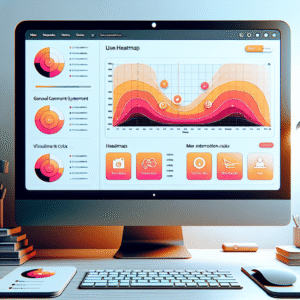
Optimize Your WordPress Site: Exploring User Click Tracking and Heatmap Plugins
Discover how to enhance your WordPress site with click tracking and heatmap plugins for improved user experience and conversions.

Enhancing User Experience on WordPress: Best Plugins for Click Tracking and 3D Viewing
Discover the best WordPress plugins for enhancing user engagement, including click tracking and 3D visualization tools.

Unlocking Insights: Best Plugins for Tracking User Behavior on WordPress
Discover the best WordPress plugins for tracking user behavior and gain insights to enhance your site's performance and user experience.