
Enhance User Experience with The Best Heatmap and 3D Viewer Plugins for WordPress in 2025
Understanding Your Site Visitors
Grasping how visitors interact with your site is crucial for enhancing user experience and making informed decisions about which plugins to utilize. By analyzing user interactions, you can uncover valuable insights into what engages your audience, where their attention diverts, and which areas might hinder their journey. This understanding not only allows you to create a more user-friendly site but also aids in selecting the best plugins to meet visitors’ needs effectively.
- Monitor button and link clicks with a WordPress user click tracking plugin to reveal high-interest content and potential navigation issues.
- Gain deeper insights with a track user behavior WordPress plugin. These reveal patterns like page duration, bounce rates, and scrolling behaviors.
- Understand user needs through behavior insights, ensuring plugin choices fit actual expectations and enhance the site’s resonance.
Why Heatmaps Matter for User Experience
Understanding how users interact with your website is crucial for improving user experience, and heatmaps provide an incredible way to visualize this interaction. A heatmap is a graphical representation of data where values are depicted by color. In the context of website analytics, heatmaps can show where users are clicking, how far they scroll, and what parts of a page are getting the most attention.
Identify Usability Issues
Heatmaps help reveal where users might be struggling. If users constantly click a non-clickable element, it indicates a need for clearer navigation or more intuitive design.
Optimize Conversion Paths
Visualizing user activity helps understand what keeps visitors engaged or drives them away, allowing targeted improvements for higher conversion rates.
Content Engagement Analysis
Heatmaps show what content captures interest, allowing adjustments in content placement to improve engagement.
Enhanced A/B Testing
Illustrate differences in user interaction between page versions, giving a data-driven approach to select the optimal design.
When considering heatmap implementation, privacy should be prioritized, especially with increasing concerns about data protection. Opting for a privacy-focused WordPress heatmap solution ensures user privacy while gathering valuable insights.
Learn MoreTop WordPress Heatmap Plugins for 2025
Dive into the world of heatmaps and discover how they can revolutionize your WordPress website’s analytics in 2025. With these powerful tools, identify the hotspots of interactivity and areas needing improvement. Explore our top picks and elevate your user engagement today.
-
Crazy Egg
Offering an intuitive platform, Crazy Egg complements existing analytics with heatmaps, scrollmaps, and more, ideal for beginners and experts alike.
-
Mouseflow
Combine heatmaps with session replays and funnel analysis. Whether free or premium, Mouseflow suits deep dives into user behavior.
-
Heatmap for WordPress by Sizzapp
Designed for WordPress, enjoy straightforward integration and live insights from your dashboard, without external setups.
-
Lucky Orange
With real-time analytics and session recordings, engage users instantly using customizable dashboards and interactive widgets.
-
Smartlook
Ideal for small businesses, Smartlook offers a free tier with rich insights, making it perfect to start exploring heatmap capabilities.
Integrating 3D Viewer: A New Experience
In today’s digital landscape, where user engagement is critical, integrating a 3D viewer into your website can revolutionize the way content is experienced. Imagine providing your audience with a dynamic, immersive interaction that standard images or videos simply can’t match.
Whether you’re managing an e-commerce store, educational site, or portfolio, offering a 3D model view brings products, concepts, and ideas to life. Using a WordPress 3D viewer plugin allows you to easily embed 3D models, enabling users to interact with your content in engaging and informative ways.
- Interactive product displays for e-commerce
- Detailed explorations of educational content
- Dynamic portfolio presentations
Offering interactive 3D models not only captivates but also enhances user engagement, leading to higher conversion rates and better retention. Plugins make it straightforward to upload and embed these models, providing a seamless enhancement to your site’s capabilities.
Contact UsLeading 3D Viewer Plugins for WordPress
Enhance user engagement and captivate your audience with immersive 3D viewer plugins.
WP-VR-view
Seamlessly integrates virtual reality experiences into your site, ideal for virtual tours in real estate and tourism.
3D FlipBook
Transforms books, magazines, and photo albums into realistic 3D animations, perfect for publishers and photographers.
WooCommerce 3D models
Displays products with 3D models for detailed, informative views that enhance eCommerce experiences.
Sketchfab Plugin
Effortlessly embeds 3D models from Sketchfab, supporting various formats for designers and artists.
Choosing the Right Plugin for Your Needs
Selecting the right WordPress plugins can significantly enhance the functionality and user experience of your website, tailoring it to your business needs, and helping achieve your goals effectively. Follow these practical steps to make the best choices:
Identify Your Needs
Start by listing the functionalities you need. For improved user experience on a budget, explore must-have WordPress plugins for user experience such as caching plugins and intuitive menus.
Check for Essential Features
Small businesses should look for free plugins that provide essential functions like SEO optimization and contact forms without additional costs.
Read Reviews and Ratings
Gauge the reliability of a plugin by reading user reviews and ratings. High ratings often indicate effectiveness.
Consider Compatibility and Updates
Ensure compatibility with your WordPress version and regular updates to maintain security and new features.
Test Before Committing
Test plugins in a staging environment to see integration effects without affecting live operations.
Installation Tips for Optimal Performance
To achieve optimal performance with your plugins, start with selecting ones that are specifically designed to be lightweight, as they are less likely to burden your website.
Review Plugin Requirements
Before installation, check for compatibility with your version of WordPress and ensure that your site’s PHP version is up-to-date.
Backup Your Site
Always create a full backup of your site. This safety net can save you from potential headaches should any issues arise during installation.
Install One at a Time
Avoid installing multiple plugins simultaneously to easily identify any conflicts or issues that might occur.
Regular Updates
Keep your plugins updated to benefit from the latest features and improvements.
By carefully selecting and managing your plugins, you can enhance your site’s functionality without sacrificing speed or reliability, thus improving user satisfaction significantly.
Boost Your Engagement and ROI
In today’s digital age, capturing and retaining the attention of your audience is more crucial than ever. Utilizing the right plugins for your WordPress sites can significantly boost both engagement and return on investment (ROI). Take the leap to elevate your website’s performance by integrating tools designed to streamline user interactions and enhance conversion rates.
The best plugin to improve conversions on WordPress provides intuitive features that align with your audience’s needs and preferences, streamlining their journey from visit to purchase. When you can visualize user interaction on your platform, you gain invaluable insights into how visitors navigate and engage with your content. This real-time feedback allows you to tailor your strategies more efficiently, ensuring every user has a seamless and engaging experience.
Implementing these plugins isn’t just about adding functionality; it’s about taking a proactive step towards understanding and serving your audience better. The result? Higher customer satisfaction, increased loyalty, and a noticeable improvement in your conversion rates.
Browse Categories:
Tags for this post:
You may also like
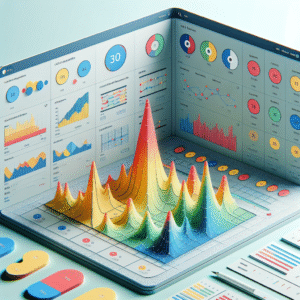
Master User Interaction: Unveiling the Best Heatmap Plugins for WordPress
Discover top heatmap plugins for WordPress that enhance user insights and boost site performance, complete with practical implementation tips.
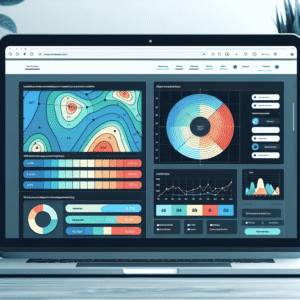
Top Free WordPress Plugins for Tracking User Clicks and Improving Conversions
Discover top free WordPress plugins to track user clicks and boost conversions effortlessly!

Discover the Best WordPress Heatmap Plugins to Track User Behavior Effectively
Unlock user behavior insights on WordPress with top heatmap plugins. Enhance engagement and conversions effectively with privacy in mind.