
Boost Your WordPress Site’s Success with User Interaction Plugins
AI in Event Planning
AI technology is transforming the event planning landscape by streamlining processes and enhancing personalization. From automating scheduling and ticket sales to analyzing attendee data for tailored experiences, AI allows event planners to focus on strategic decisions.
Utilizing insights from AI-driven analytics, planners can better understand attendee behavior, enabling informed decisions that elevate event quality. Whether it’s tailoring content, suggesting sessions, or customizing networking opportunities, AI empowers planners to create dynamic, engaging events.
AI-Powered Solutions
- Automate routine tasks for efficiency.
- Personalize attendee experiences.
- Gain insights from analytics for data-driven decisions.
By leveraging AI tools, event planners not only improve operational efficiency but also enrich attendee engagement, making events more impactful and memorable.
Benefits of Using Heatmap Plugins
Understanding how users interact with your website is a fundamental step in optimizing your user experience, and this is where heatmap plugins come into play. By visualizing user behavior with tools like a WordPress heatmap plugin, you gain invaluable insights that guide data-driven design decisions.
Heatmaps offer a visual representation of how users navigate your site, highlighting areas of high engagement and areas ignored by visitors. This allows you to see exactly where users click, how far they scroll, and what elements catch their attention.
Integrating a heatmap plugin into your website can revolutionize your redesign strategy by pinpointing elements that need refinement or enhancement. For instance, if you notice that a critical call-to-action button is receiving very few clicks, it may indicate the button is not prominent enough, prompting you to adjust its size, color, or placement.
Moreover, opting for a free WordPress heatmap plugin can provide small to mid-sized businesses or individual bloggers the opportunity to harness these powerful insights without additional costs, making this tool accessible to users with limited budgets.
Make Data-Backed Decisions
By making data-backed decisions, businesses can enhance not just user satisfaction, but also conversion rates and sales. Heatmap plugins empower you with a deeper understanding of your audience’s behavior, ultimately driving a more successful, user-friendly website experience.
Contact Us for More InsightsTop Plugins for Tracking User Interaction
Leverage advanced analytics to enhance user experience and drive conversions.
MonsterInsights
Gain deep insights into user behavior with detailed reports on where users click, conversion tracking, and real-time data.
Hotjar
Understand user intentions through heatmaps and session recordings to make data-backed decisions.
Mouseflow
Comprehensive analysis with session replays and heatmaps to understand and improve user interactions.
How to Choose the Right Plugin for Your Needs
1. Define your requirements
Start by identifying what you need from a plugin, such as SEO optimization or improved security, to narrow down your choices and focus on essential solutions.
2. Research and compare
Research available plugins by reviewing ratings, reviews, and installation numbers to evaluate quality and reliability.
3. Compatibility and performance
Check compatibility with your WordPress version and theme, ensuring the plugin supports smooth performance without slowing down your site.
4. Support and updates
Opt for plugins that are well-supported and frequently updated by developers to minimize issues and ensure functionality with new WordPress updates.
5. Test before committing
Test the plugin on a staging site first to assess its impact and compatibility without compromising your live site’s integrity.
Free vs. Premium Plugin Options
Free Plugins
- Cost-effective without any initial financial investment.
- Ideal for experimenting with new features.
- May lack advanced features and frequent updates.
- Community-based support can delay resolutions.
Premium Plugins
- Offers robust and tailored features for complex needs.
- Dedicated customer support ensures quick resolutions.
- Regular updates enhance security and compatibility.
- Requires a financial investment which might not suit all budgets.
Installing and Setting Up Your Plugin
Ensure your site runs efficiently by following these steps to install and set up plugins, whether to track user clicks or record activity.
1. Choose the Right Plugin
Start by selecting a plugin that meets your needs, ensuring it’s well-reviewed and regularly updated.
2. Log into WordPress Dashboard
Navigate and log into your WordPress admin dashboard to begin the installation process.
3. Access Plugin Menu
In the sidebar, hover over ‘Plugins’ and click ‘Add New’.
4. Search for the Plugin
Use keywords to find your plugin. Enter terms like “plugin to see where users click WordPress”.
5. Install the Plugin
Click ‘Install Now’ and let WordPress handle the download and installation.
6. Activate the Plugin
Click ‘Activate’ to enable the plugin and configure its settings.
7. Configure Plugin Settings
Set up your plugin’s specific options located in the settings.
8. Test the Plugin
Verify functionality to ensure it records activity or tracks clicks correctly.
Interpreting Plugin Data Effectively
Learn how to transform overwhelming data from your plugins into actionable insights to enhance your site’s performance.
Getting Started with User Metrics
Begin with user engagement metrics like click-through rates (CTR), bounce rates, and average session duration to understand user interaction.
Visualizing User Interaction
Use a visualization plugin to convert intricate data into comprehensible graphs and charts, identifying key focus areas.
Make Data-Driven Decisions
Transform your site with actionable insights.
If high engagement but low conversion exists, reassess CTAs, content clarity, or copy to drive better results.
Ensuring User Privacy and Compliance
Maintaining trust while adhering to legal norms is essential in today’s data-driven world.
Your Privacy, Our Priority
In today’s digital landscape, user privacy is more important than ever, especially when it comes to data interpretation and tracking for improving website performance. Ensuring user privacy and compliance not only helps maintain trust with your audience but also keeps you in line with legal requirements, such as GDPR and CCPA.
- Adopt tools that prioritize privacy from the outset.
- Use privacy-focused WordPress heatmaps for anonymized insights.
- Explore alternatives like Hotjar for enhanced privacy features.
- Regularly update your privacy policy for transparency.
Tools and Practices
Implement privacy strategies that ensure compliance while positioning you as a trustworthy entity. This approach enhances your brand reputation significantly.
Contact UsUsing Insights to Enhance User Experience
Understand User Behavior
Insights from analytics plugins can highlight patterns in user engagement, enabling design refinements that boost interaction. Google Analytics can illuminate which content captivates users, steering future site enhancements.
Analyze Traffic Patterns
Optimize Site Speed
Plugins like WP Rocket elevate user satisfaction by accelerating load times through cutting-edge caching solutions, crucial for SEO and conversion improvements.
Enhance Performance
Create Personalized Experiences
Personalization plugins like OptinMonster help craft custom experiences that align with users’ past interactions, fostering brand allegiance and conversion elevation.
Tailor User JourneysBrowse Categories:
You may also like
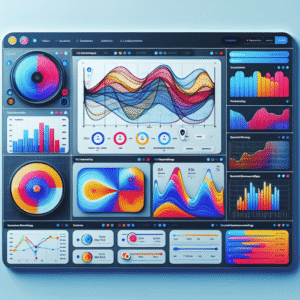
The Top Plugins to Track User Behavior and Enhance Engagement on WordPress
Explore the top WordPress plugins to track user behavior and improve engagement with insights on heatmaps, session recordings, privacy, and…

Enhance User Experience with WordPress User Click Tracking Plugins
Discover essential WordPress plugins to track user clicks, enhance site experience, and boost conversions effortlessly.

The Ultimate Guide to Optimizing User Engagement with WordPress Heatmap Plugins
Explore how to boost WordPress site engagement with top heatmap plugins. Discover setup tips, data analysis, and privacy considerations.