
Enhancing WordPress User Experience with Click Tracking and Heatmaps
Understanding User Behavior on WordPress
Gain valuable insights into how visitors interact with your WordPress site. Enhance user experience and optimize performance by understanding what captures your audience’s interest.
Why Track User Behavior?
- Identify popular content through page visits
- Discover areas for content and design improvement
- Understand audience patterns and preferences
Tools That Simplify Tracking
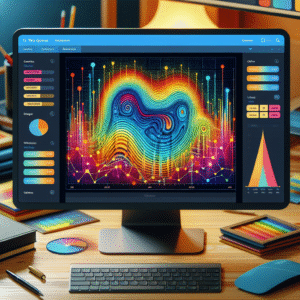
Plugins like MonsterInsights and Crazy Egg offer easy integration with your WordPress dashboard, providing visual analytics with:
- Heatmaps
- Session recordings
- In-depth analytics reports
The Benefits of Click Tracking
Enhance User Experience
Understanding user behavior is key to enhancing user experience. Click tracking reveals which parts of your site engage users, helping you refine navigation and optimize content.
- Identify engaging areas and improve underperforming ones
- Refine navigation paths
- Optimize interface elements for a intuitive user journey
Improve Conversion Rates
Click tracking is crucial in A/B testing, allowing data-driven decisions to optimize conversion rates. Tweak elements like call-to-action buttons to boost engagement and influence purchasing decisions.
- Conduct A/B testing based on user clicks
- Data-backed optimization for maximum impact
- Boost lead generation and conversion rates
Choosing the Right Plugin for Your Needs
Enhancing user experience and optimizing your WordPress site starts with selecting the right plugins. Determine the key functionalities you need to gain insights into visitor behavior.
Define Your Goals
Clarify your objectives. Whether you seek comprehensive user interaction analytics or detailed insights on specific elements, defining your goals helps narrow your options.
Evaluate Features
Identify plugins offering detailed heatmaps and click analysis. Ensure compatibility with your WordPress version and existing plugins to prevent technical issues.
User Reviews & Support
Reviews reveal consumer satisfaction. Highly-rated plugins usually offer better support and updates, crucial for security and functionality.
Free vs. Paid Options
Consider your budget. Free plugins provide basics, while paid versions offer features like session replay or AI-driven insights. Choose according to your needs.
Popular Examples
- Hotjar & Crazy Egg: Renowned for session recording and in-depth analytics.
- MonsterInsights: Offers comprehensive heatmap tools to visualize user engagement.
Implementing Click Tracking on WordPress
Capture valuable data by following these steps to implement click tracking on your WordPress site.
Install a Click Tracking Plugin
Navigate to the plugins section of your dashboard and install a plugin like MonsterInsights for tracking.
Connect to Google Analytics
Link your site to Google Analytics using MonsterInsights for integrated data collection.
Enable Link Tracking
In the settings, enable ‘Link Tracking’ under the ‘Engagement’ tab to track user click patterns.
Setup Custom Events
Configure the plugin to track specific actions like button or download link clicks for more detailed insights.
Review and Analyze Data
Access your Google Analytics to monitor and analyze the click data to enhance site performance.

Interpreting Your Heatmap Data
Learn how to analyze heatmap data to craft actionable strategies and boost your website’s performance.
Identifying Hotspots & Cold Zones
Determine high engagement areas, known as hotspots, and reassess cold zones to optimize your key actions.
Scroll Depth Analysis
Ensure important content is reached by observing typical scroll patterns & repositioning elements as needed.
Click Patterns
Identify and redesign non-interactive elements capturing attention to enhance user interactions.
Device Differentiation
Adapt your site for various devices by analyzing differences in user behavior through heatmaps, refining for mobile responsiveness.
Privacy and Ethical Considerations
Understanding user behavior without compromising privacy.
Transparency and User Empowerment
Be clear about data collection processes. Display a privacy policy and offer opt-outs to ensure user trust.
Data Anonymization
Ensure user privacy by using anonymized data. Avoid collecting personally identifiable information unless necessary.
Enhanced Security
Implement encryption and secure storage. Conduct audits regularly to protect user data.
Case Studies and Success Stories
Gardening Hub
Faced with abandoned carts due to shipping costs. After implementing click tracking, adjustments led to a 30% increase in completed transactions.
EduTrack
Simplified a complex signup form that was losing potential users. Click tracking insights increased registrations by 25%.
Fitness Fanatics
Utilized click tracking to optimize content layout resulting in a 40% increase in reader engagement.
The Future of Click Tracking and Heatmaps
Explore upcoming trends and technologies, encouraging readers to stay ahead of the curve in user analytics.
AI-Powered Predictive Analytics
AI advancements enable understanding not just where users click, but why, offering personalized website experiences that boost engagement.
Next-Gen Heatmaps
Future heatmaps will integrate real-time data with sentiment analysis, providing emotional context to user interactions and illuminating user pain points.
AR & VR in Analytics
Augmented and virtual reality are set to redefine engagement metrics, tracking physical interactions in immersive environments for deeper insights.
Innovative WordPress Plugins
Stay informed on the best plugins of 2025 to enhance your WordPress site with cutting-edge click tracking features, seamlessly integrated into dashboards.
Browse Categories:
You may also like

Harnessing Heatmap and User Tracking Plugins to Enhance Your WordPress Site
Discover how heatmap and user tracking plugins can boost your WordPress site's performance and user engagement with our comprehensive guide.
Uncovering User Behavior: Top WordPress Heatmap Plugins for 2025
Discover the top WordPress heatmap plugins for 2025 to enhance user experience and track visitor behavior effectively.

Essential User Behavior Tracking Plugins for WordPress in 2025
Discover essential plugins to track user behavior on WordPress, boost conversions, and ensure privacy in 2025.