
Track and Enhance User Experience with WordPress Heatmaps and Session Recordings
Understanding User Behavior with Heatmaps
Gain insights into user interaction patterns and make strategic data-driven decisions with heatmap analytics.
Visual Insights & Engagement
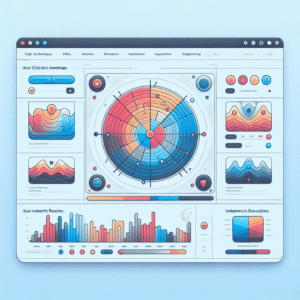
Heatmaps provide an insightful visual representation of how users interact with your website. By using color gradation, they highlight areas of high and low user interaction, effectively showing where users click, scroll, and focus their attention.
- Reveal user interactions with intuitive visuals.
- Identify patterns that drive engagement.
- Support UI/UX improvements through data.
Utilize Heatmaps Effectively
Imagine a webpage where you aim to encourage newsletter sign-ups. A heatmap can reveal whether users are noticing and interacting with the sign-up form. Use this data to make informed layout changes.
Implement tools like WordPress heatmap plugins to seamlessly track and optimize user behavior based on actionable data insights.
Learn MoreChoosing the Right Plugin for Your Needs
Identify Your Goals
Are you focused on tracking specific user behaviors, or do you require detailed session recordings?
- Track user clicks, taps, and scrolls with heatmaps.
- Analyze user journey with session replays.
Consider Integration Options
Choose plugins like Hotjar and Crazy Egg for easy integration without slowing your site.
Evaluate Scalability & Cost
Ensure your plugin can handle high traffic, and balance cost with needed features.
Review Feedback & Support
Read real-world reviews and check for responsive support from developers.
Implementing Heatmap Tools on Your Site
Integrate heatmap tools to gain invaluable insights into user interaction, optimize your design, and boost conversions.
Select the Right Plugin
Choose a suitable WordPress heatmap plugin like Crazy Egg, Hotjar, or Mouseflow. Consider ease of use and integration capabilities.
Install and Activate
Install the chosen plugin from the WordPress directory, then activate it to start tracking user interactions.
Configure Plugin Settings
Align settings with your tracking goals. Examine the plugin documentation for guidance specific to your needs.
Integrate with Analytics
Enhance analysis by integrating with tools like Google Analytics to pair qualitative and quantitative insights.
Test the Setup
Validate the plugin by checking multiple pages to ensure that tracking is accurate and functional.
Analyze and Optimize
Use the insights from the heatmap to make data-driven adjustments, enhancing your site’s user experience.
Analyzing User Interaction Data
Unlock insights with heatmap plugins to optimize user experience and enhance your website’s design and performance.
Understand Visitor Behavior
Heatmaps are visual tools that showcase user engagement across your site, highlighting clicks, scrolls, and ignored elements.
- Click tracking insights
- Scroll depth analysis
Identify Design Mistakes
Find and fix areas where users are miscommunicating with your site, based on interaction patterns.
- Misleading elements
- Invisible content optimization
Prioritize User Privacy
Choose privacy-focused plugins to ensure user data security while gathering valuable interaction metrics.
- Data anonymization
- Keystroke masking features
Improving User Experience Using Insights
Unlock the potential of your site by leveraging heatmap data to enhance user satisfaction.
Analyze User Behavior
Heatmaps provide a visual map of user interactions, highlighting areas of high and low engagement.
Strategic CTA Placement
Identify where to position call-to-action buttons for maximum impact and conversions.
Optimize Layout
Restructure your layout based on data insights to improve content accessibility.
“By consistently refining user pathways based on insightful data, website owners can ensure they meet user needs efficiently and effectively.”
Exploring Alternatives to Popular Heatmap Tools
Matomo
- Open-source with strong data privacy focus
- Operates on your server for full data ownership
- GDPR compliant
Microsoft Clarity
- Free and easy to integrate
- Essential heatmap features
- User data control
Crazy Egg
- Focus on site performance
- Delivers faster insights
- Versatile use-case
Fathom Analytics
- User privacy emphasis
- Lightweight design
- Complements heatmap tools
Future-Proofing Your Site with the Latest Plugins
Spotlight on Innovation
As we look towards 2025, a host of exciting WordPress plugins are set to revolutionize how we approach web development and user experience. AI-driven content personalization plugins are designed to dynamically tailor site content to each visitor’s preferences and behavior, improving user engagement and increasing conversion rates.
Additionally, eco-friendly plugins that reduce the carbon footprint of websites are gaining traction, optimizing server energy consumption and ensuring your site is greener.
Emerging Trends for Small Business
Free WordPress plugins for small businesses are becoming more sophisticated. Chatbot and virtual assistant plugins automate customer support, providing instant answers to queries and freeing staff to focus on complex tasks.
Security-focused plugins are essential for protecting online assets, offering features like real-time monitoring and automatic updates to thwart cyber threats.
Real-World Success Stories
Harnessing the power of heatmap and session tools can transform businesses by enhancing user interactions.
Clothing Brand’s Strategy Overhaul
By visualizing user interactions, an innovative clothing brand resolved stock issues and achieved a 25% increase in sales.
Revamping E-Learning Engagement
An e-learning platform leveraged user activity insights to enhance content delivery, boosting course completion rates by 40%.
Enhancing Online Reservations
Through strategic UI adjustments informed by heatmaps, a restaurant chain saw a 35% increase in online bookings.
Browse Categories:
You may also like
Unlock the Future: Top AI Plugins for WordPress in 2025
Unlock the Future: Top AI Plugins for WordPress in 2025 Artificial Intelligence (AI) has revolutionized the digital landscape in ways…

Optimizing User Engagement with WordPress Heatmap Plugins
Discover the best WordPress heatmap plugins to track user behavior and boost engagement on your website effortlessly.
Maximize User Engagement With The Best WordPress Heatmap Plugins
Discover the power of WordPress heatmap plugins and boost your site's engagement with our expert guide.