
Unlocking User Insights: The Best WordPress Plugins for Click Tracking and Behavior Analysis
Introduction to User Insight
Understanding user behavior is pivotal for enhancing website performance and achieving digital success. By gaining insights into how users interact with your website, you can make data-driven decisions that lead to improved user experience, increased engagement, and higher conversion rates.
Real-world examples underscore this importance. Consider an online retail store that notices through tracking tools that users frequently abandon their shopping carts at a specific stage. Adjustments can be made to streamline the process, potentially recovering lost sales and improving overall customer satisfaction.
Learn More- Data-driven decisions lead to improved user experience
- Boost engagement and conversion rates
- Optimize site navigation and content
- Use plugins to track and analyze user behavior
The Importance of Click Tracking
Understand User Behavior
Understanding user behavior is crucial for optimizing website performance. Click tracking illuminates visitor engagement, offering insights for better business decisions, improved user experiences, and greater conversion rates.
- Identify high-performing elements like call-to-actions and images.
- Enhance navigation and functionality to reduce bounce rates.
- Optimize advertising strategies by tracking ad interactions.
- Implement data-driven A/B testing.
Implement Seamlessly
For WordPress users, a click tracking plugin seamlessly integrates into sites, offering comprehensive data. Enjoy easy-to-interpret analytics dashboards, allowing all users to harness click tracking effectively.
Gain insights to propel forward!
Explore Click TrackingTop Heatmap Plugins for WordPress
Hotjar
Comprehensive tool with user recordings, surveys, and heatmaps, perfect for WordPress integration with a free plan for beginners.
Crazy Egg
Offers innovative tools like Confetti and Overlay, easy to use with detailed reports, though not free but valuable for its in-depth analytics and A/B testing.
Mouseflow
Tracks heatmaps and records user sessions, provides real-time interaction insights with a free plan for small websites.
Lucky Orange
Features dynamic heatmaps, replay tools, and live chat, offers a free trial to explore functionalities without financial commitment.
Heatmap for WordPress
Targeted for WordPress users, easy setup and use, great starting point as a free WordPress heatmap plugin.
Choosing the Right Plugin for Your Needs
Guide users on selecting plugins suited to their specific needs, addressing concerns about features, costs, and privacy, paving the way to informed decisions.
Define Your Needs
Start by clearly outlining what you want the plugin to achieve. Are you aiming for better analytics, enhanced security, or unique functionality?
Evaluate Features
Not all plugins are created equal. Compile a list of must-have features and compare what each offers.
Consider Costs
Some plugins are free, others might incur costs. Balance your budget with the value offered.
Check Privacy Policies
Ensure compliance with privacy regulations and opt for plugins with stringent data protection measures.
Read Reviews and Test
Look for user feedback and test the plugin if possible to gauge performance and reliability.
Understanding Session Recording Basics
Explore the depth beyond heatmaps to unveil comprehensive user behavior analysis.
What is Session Recording?
Session recording captures actual user interactions on a website, including scrolling, mouse movements, and keystrokes, providing a holistic approach to understanding user experience.
- Gain insights beyond traditional heatmaps.
- Replay users’ journey to discover friction points.
- Improve engagement through granular behavior analysis.
Key Advantages
Understand exactly why users take certain actions or why they might not, leading to better user engagement and conversion optimization.
- Troubleshoot UX issues by pinpointing errors.
- Enhance A/B testing with qualitative data.
- Provides competitive edge through behavioral insights.
Enhancing User Experience Through Data
In today’s competitive digital landscape, understanding user behavior is crucial for businesses aiming to improve their website’s user experience and ultimately boost conversions.
Plugin Insights
WordPress plugins offer an exceptional way to gather and analyze user data, providing actionable insights that can transform your website into a more engaging tool for your business.
- MonsterInsights for tracking user interactions
- Nelio A/B Testing for experimenting with design
- Hotjar for heatmaps and session recordings
Strategic Implementation
Collecting and leveraging data doesn’t just enhance customer experience; it informs strategic decisions that align closely with business objectives.
Embrace a data-driven approach to optimize user experience, increase customer retention, and achieve better conversion rates.
Contact us NowBalancing Privacy and Data Ethics
In the digital age, where data is currency, ethical data practices are crucial. Empower your decisions using analytics, but prioritize privacy and build trust.
Real-World Example: Fathom Analytics
Fathom Analytics showcases how a privacy-first approach can be adopted successfully by not collecting personal data, ensuring GDPR compliance.
Best Practices for Ethical Data Use
- Transparency and Consent: Inform users and obtain consent prior to data collection.
- Data Minimization: Limit data collection to what’s strictly necessary.
- Anonymization: Use techniques to ensure user anonymity.
- Regular Audits: Conduct audits to stay compliant with privacy standards.
Foster Trust with Ethical Plugins
Gain the competitive advantage by being at the forefront of ethical data usage.
Conclusion and Next Steps
Embarking on the journey of integrating custom plugins into your WordPress site opens up a realm of possibilities for enhancing functionality, boosting user engagement, and customizing your site to perfectly reflect your brand’s needs.
-
Identify specific needs within your site that can benefit from automation or enhanced interaction.
-
Consider plugins like a sophisticated track user behavior plugin could provide invaluable insights.
-
Experiment and tailor your site into an interactive, user-friendly environment.
Finally, maintaining regular updates and reviewing plugin performance will ensure your site grows dynamically with your audience’s needs. Begin this transformative process now and watch your website flourish.
Browse Categories:
You may also like

Unveiling the Best WordPress Plugins for User Behavior Tracking in 2025
Explore top WordPress plugins for user behavior tracking in 2025 to enhance your site’s performance and user experience.

Enhancing User Experience on WordPress: Best Plugins for Click Tracking and 3D Viewing
Discover the best WordPress plugins for enhancing user engagement, including click tracking and 3D visualization tools.
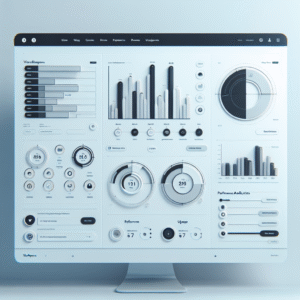
Discover the Best WordPress Plugins to Enhance User Interaction
Discover essential WordPress plugins that boost user interaction, featuring tools for heatmaps, session recording, and 3D content integration.