
Maximize Engagement: The Best Plugins for Heatmaps and 3D Interaction on WordPress
Introduction to Heatmap and 3D Plugins
In today’s digital landscape, understanding user interaction on your website is more critical than ever. As site owners strive to improve engagement and conversions, tools like heatmaps and 3D plugins emerge as essential assets.
Heatmaps
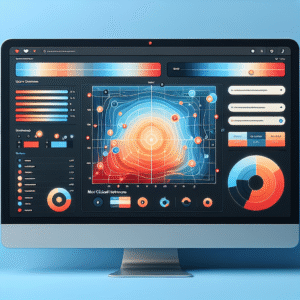
Heatmaps allow you to visually understand where users are most engaged on your site by tracking clicks, movements, and scrolls. Employing a WordPress heatmap plugin provides invaluable insights into what parts of your website are most effective or need improvement.
3D Plugins
Engaging your audience with interactive content is a key to enhancing UX. 3D plugins enable you to embed 3D models in WordPress, offering dynamic and engaging elements that capture and retain user attention more effectively than 2D images or text alone.
With these tools, you’re not only collecting data but enhancing the overall user experience by leveraging actionable insights and interactive features. This proactive approach not only attracts more visitors but also keeps them engaged longer, setting the stage for more in-depth exploration.
Understanding Click Behavior
Tracking user click behavior is a pivotal strategy for enhancing web design and boosting conversions. By analyzing how visitors interact with elements on your site, you can gain invaluable insights into user preferences, pain points, and overall experiences.
Identify Key Points
With a WordPress user click tracking plugin, you can pinpoint if visitors frequently click on specific CTAs yet don’t complete purchases—indicating potential issues with checkout processes.
Inform Design Changes
Discover user behavior patterns to prompt redesigns that enhance engagement. This ensures important content is highlighted and user-friendly layouts are prioritized.
Data-Driven Decisions
Use insights from A/B testing and user behavior data to make informed decisions, aligning site designs with business goals and enhancing user engagement.
Choosing Your Heatmap Plugin
Focus on Goals
Achieving the right insights depends on your website goals. Lightweight plugins like “Hotjar” focus on minimal impact with easy use.
Feature-Rich Options
Explore plugins like “Crazy Egg” for features such as click tracking and user session recordings.
Budget Considerations
Free tiers like “Inspectlet” provide a cost-effective start to improving your site’s user experience.
Privacy-Focused Heatmap Tools
Prioritize user trust without sacrificing insight.
Crazy Egg
Offers comprehensive heat mapping with privacy controls, enabling you to visualize user interactions while ensuring data anonymization.
Learn MoreMatomo
Empowers you with self-hosted analytics, guaranteeing complete data control and helping meet privacy regulations like GDPR.
Explore MatomoSmart Privacy Integration
Seamlessly integrate privacy-focused solutions without losing essential analytics features, ensuring both compliance and functionality.
Get StartedTake a step toward a more trusted digital environment with privacy-first analytics.
Exploring 3D Plugins
Dive into the possibilities offered by 3D plugins, sparking ideas on how to utilize 3D models for a dynamic user experience.
Immersive Viewing
Imagine embedding a 3D model in WordPress, allowing viewers to rotate and examine products or educational models from every angle.
Interactive Education
Educational sites can display models such as molecular structures that students can interact with for deeper learning.
Virtual Shopping
Online stores can allow customers to place and visualize 3D furniture or products in a virtual room, enhancing the shopping experience.
Showcasing Your Portfolio in 3D
In today’s digital landscape, standing out is crucial, especially for creative professionals who rely on their portfolios to attract and retain clients. Showcasing your work through a traditional flat gallery might not be enough to capture the dynamic and innovative spirit your projects embody. This is where 3D portfolio plugins come into play, offering a unique and engaging way to present your work in the digital space.
See How It WorksEngage with Immersive Art
Utilizing a 3D portfolio is akin to creating an immersive art exhibit in the virtual world. Clients can navigate through a 3D model of your design, understanding the depth, texture, and interactivity that a two-dimensional image can’t adequately convey.
- Integrate with WordPress using 3D Viewer.
- Customize and animate designs to highlight your style.
- Position yourself at the forefront of industry trends.
Integration Best Practices
Integrating heatmap and 3D plugins into your WordPress site can significantly enhance user experience and functionality. By following best practices, you ensure that these powerful tools perform optimally without compromising site performance.
Choose the Right Plugins
Select the best WordPress plugins of 2025, focusing on those with regular updates and positive reviews. Consider plugins like Hotjar for heatmaps and WP VR for 3D capabilities.
Compatibility Check
Ensure plugin compatibility with your theme and other plugins to prevent conflicts for smooth operation. Conduct trials on a staging site.
Minimalist Approach
Avoid overcrowding your site with plugins. Prioritize essential plugins that enhance site user experience directly.
Regular Updates and Maintenance
Keep plugins updated for new features and security. Schedule regular checks for up-to-date maintenance.
Performance Optimization
Post-integration, test site speed and performance with tools like Google PageSpeed Insights to ensure no negative impacts.
User Testing
Conduct user testing to gather insights and make necessary adjustments to enhance user engagement.
Maximizing Plugin Performance
Ensure your WordPress site runs smoothly by optimizing plugin performance, preventing conflicts, and boosting reliability.
Regular Updates
Keep plugins updated to fix bugs and security issues, reducing the risk of conflicts and enhancing performance.
Compatibility Checks
Review plugin descriptions and user feedback to ensure compatibility with your existing setup.
Caching Strategy
Utilize caching plugins like WP Rocket to improve site speed and reduce load times.
Test Environments
Test plugins in a staging environment before full deployment to prevent unexpected errors.
Plugin Audits
Regularly audit your plugin setup and remove any that are unnecessary to maintain a lean system.
Activity Monitoring
Employ plugins to record user activity, helping to trace issues and pinpoint problem sources efficiently.
Browse Categories:
Tags for this post:
You may also like

Enhance Your Site with the Best WordPress Heatmap Plugins: Track and Improve User Experience
Discover the best WordPress heatmap plugins to track user behavior and boost your site's engagement and conversions.

Revolutionize Your Site with WordPress Heatmap Plugins: Track User Behavior for Success
Discover how WordPress heatmap plugins can unlock user insights and boost your site's performance with effective tracking.
Discovering the Best Heatmap Plugins for WordPress: Enhance User Experience Seamlessly
Enhance your WordPress site's user experience with the best heatmap plugins. Learn to visualize interactions and track behavior for smarter…