
Mastering User Interaction: Essential WordPress Heatmap Plugins for Optimized Engagement
Understanding WordPress Heatmaps
Gain insights into user interactions on your website and explore the advantages of heatmaps for better web optimization.
Introduction to Heatmaps
Heatmaps provide visual feedback on how visitors engage with your website, spotlighting highly active areas. This guides you in optimizing user experiences and boosting engagement.
- Enhanced User Experience: Refine layouts and content based on user behavior.
- Informed Design Decisions: Strategically place calls to action to increase conversions.
- Identifying Problem Areas: Locate and improve sections causing drop-offs.
Implementing Heatmaps in WordPress
The ease of integrating heatmaps with a WordPress plugin allows you to monitor user clicks without coding expertise.
Learn MoreThe Importance of Tracking User Behavior
Understanding User Dynamics
Tracking user behavior provides invaluable insights into how visitors engage with your content, guiding you to create an intuitive and satisfying experience.
Contact us for more insights →Leverage Heatmaps
Discover which areas of your webpages capture the most attention and adjust your strategy appropriately.
Comprehensive Metrics
Metrics such as bounce rates and conversion paths provide deeper insights into user actions and motivations.
Implement and Integrate
Use tools or WordPress plugins to track user behavior effortlessly, translating complex data into action.
Choosing the Best Heatmap Plugin
Selecting the right heatmap plugin for your WordPress website can be a transformative move for your digital strategy. However, with so many options available, choosing the best one can be overwhelming.
Features and Functionality
Look for plugins offering insights into user behavior, including session recordings for a more detailed view of user actions.
Compatibility and Integration
Ensure seamless integration with current WordPress setups and other tools to avoid disrupting data collection.
Customization Options
Choose plugins that allow targeting of specific pages or segments for more customized data insights.
Ease of Use
Opt for a plugin with an intuitive UI to ensure broad usability across your team.
Cost vs. Value
Weigh premium features against their costs to choose the plugin that justifies its price for your needs.
Customer Support and Updates
Ensure the plugin is actively supported and updated to keep up with WordPress advancements.
Ultimately, the best plugin for you depends on whether you’re aiming for improved conversion rates, understanding user drop-off points, or optimizing content layout. Clearly define your objectives to find the perfect match.
Top Free Heatmap Plugins
Gain valuable insights into user behavior with top-rated free heatmap plugins. These tools are perfect for budget-conscious web owners looking to enhance user experience and engagement without breaking the bank.
Hotjar
Known for its premium plans, Hotjar’s free version includes heatmaps that reveal where visitors click, move, and scroll.
Learn MoreCrazy Egg
Enjoy a 30-day free trial with Crazy Egg’s suite of tools, including click maps, scroll maps, and colorful confetti view.
Learn MoreMouseflow
Visualize user paths and see engagement hotspots with Mouseflow’s limited free version offering heatmaps and session replay.
Learn MoreHeatmap for WordPress
Integrated directly within WordPress, this plugin offers real-time tracking and precise heatmaps on key pages.
Learn MoreDiscover these cost-effective solutions and enhance your website with user behavior insights.
How Heatmaps Improve User Experience
Discover how heatmaps provide valuable insights to enhance website design and functionality, ensuring better user experiences and increased conversions.
Understand User Behavior
Heatmaps offer a visual representation of user interactions on your site, revealing patterns such as clicks, cursor movements, and scroll depths.
- Identify underutilized buttons and optimize placements.
- Enhance content visibility by analyzing scrolling patterns.
Drive Conversions
Leverage heatmap insights to make data-driven adjustments that boost your conversion rates.
- Re-arrange content and navigation for better engagement.
- Implement A/B testing to validate design changes.
Top Plugins for Heatmapping and UX
Explore leading WordPress plugins like “Heatmap for WordPress”, “Hotjar”, and “Crazy Egg” to effortlessly integrate heatmaps into your site.
Integrating Heatmaps with Privacy in Mind
Heatmaps provide essential insights into user interactions on websites, highlighting popular areas and navigational challenges. However, balancing their benefits with privacy considerations is crucial.
Privacy-focused Integration
Ensure compliance with regulations like GDPR by choosing heatmap solutions that anonymize user data, protecting personal information such as IPs and specific user actions.
Transparency and Trust
Communicate data collection policies clearly in your privacy policy and employ dynamic consent management tools to allow users easy choices about their data participation.
By choosing privacy-centric heatmaps and fostering transparent user interaction, you can optimize your WordPress site for a superior user-friendly experience while maintaining user trust and privacy.
Alternatives to Premium Tracking Tools
Discover budget-friendly tools to optimize user behavior tracking without breaking the bank.
Crazy Egg
- Heatmaps & Click Tracking
- A/B Testing Capabilities
- Variety of Pricing Plans
Mouseflow
- Website Heatmaps
- Session Replay
- User Interaction Insights
WP Hotjar
- Free WordPress Plugin
- Basic Heatmaps
- Ideal for Beginners
Unlock cost-effective tracking by experimenting with these tools. Test for compatibility to maintain speed and user experience.
Implementing and Analyzing Heatmap Data
Understanding how users interact with your website is crucial for optimizing their experience, and heatmaps provide a clear, visual representation of these interactions.
Identify Patterns
- Discover which areas users focus on, like clickable elements
- Adjust layout based on user engagement data
- Prioritize essential content based on scroll data
Streamline Data Analysis
- Use WordPress plugins to visualize user interactions
- Access user-friendly interfaces for insights
- Democratize data analysis within your team
Optimization is an ongoing journey. Utilize heatmap insights to evolve your site, ensuring continuous improvement and visitor satisfaction.
Learn MoreBrowse Categories:
You may also like

Enhancing User Experience with WordPress Click Tracking Plugins: A Comprehensive Guide
Discover how WordPress click tracking plugins can enhance your site’s user experience by analyzing and understanding visitor behavior.

Maximize User Engagement: The Best WordPress Plugins to Track and Improve Visitor Interactions
Discover top WordPress plugins to enhance user engagement through effective tracking and insights for site growth.
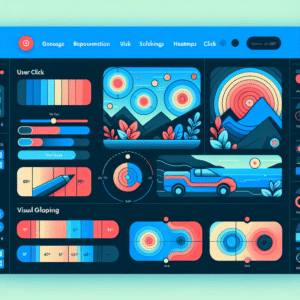
Unlocking User Insights: The Best WordPress Heatmap Plugins for 2025
Explore the best WordPress heatmap plugins for 2025 to improve user experience and track visitor behavior effectively.