
Top WordPress Plugins to Enhance User Interaction and Experience
The Importance of User Experience on Your WordPress Site
In today’s digital landscape, user experience (UX) is more than just a buzzword; it’s a critical element that determines the success of your WordPress site. A well-designed UX attracts and retains more visitors, translates into higher conversion rates, and ultimately strengthens your brand’s online presence.
Imagine landing on a website and immediately feeling overwhelmed by clutter or confusion—chances are, you wouldn’t stick around for long. This is exactly why focusing on optimizing user experience is crucial.
- Seamless UX ensures easy navigation, quick information discovery, and intuitive content engagement.
- Enhance user satisfaction, encouraging repeat visits and content sharing among loyal customers.
- Search engines favor sites with superior UX, boosting search rankings and organic traffic.
- Use WordPress plugins to streamline navigation, improve load speeds, and personalize interactions.
Leveraging Heatmap Plugins to Track User Behavior
Understanding how visitors interact with your website is crucial for enhancing user experience and increasing conversion rates. Heatmap plugins provide visual representations of user interactions, offering insight on navigation patterns and popular site areas.
-
Identify Popular Areas
Visualize which sections capture the most attention, enabling targeted content placement.
-
Improve Design
Enhance usability by relocating key elements and optimizing calls-to-action based on user behavior.
-
Spot User Experience Issues
Address areas of user confusion and streamline navigation to reduce drop-offs.
Real-World Success Stories:
An online retail store used a heatmap plugin and discovered usability issues on their checkout page. Adjustments led to a 20% increase in successful transactions.
Understanding Session Recording Plugins
Delve into the capabilities of session recording plugins that revolutionize the way you analyze user behavior, leading to meaningful enhancements in user experience.
Capture User Behavior
Session recording plugins provide an in-depth view of user activity, capturing interactions such as clicks, scrolls, and form inputs in real-time. They transform abstract data into tangible insights.
- Replay user interactions.
- Identify friction points.
- Enhance user journey.
Inform Design and Content Decisions
Use session recordings to discover elements that engage users the most, influencing design and content strategies for better outcomes.
- Detect positive user interactions.
- Optimize user experience.
- Increase conversion rates.
Recommended Plugins
Explore options like Hotjar and Crazy Egg for a seamless integration with WordPress, offering powerful heatmaps and session recording features.
Showcasing 3D Models with Viewer Plugins
Experience your products in a new dimension with interactive 3D viewer plugins.
Immersive Product Experiences
3D viewer plugins enable customers to explore your products from every angle, fostering greater engagement and understanding.
Enhanced Conversion Rates
Providing a realistic view can lead to more informed decisions, boosting your sales and increasing conversion rates.
Creative Marketing Strategies
Embrace new marketing methods by allowing customers a sneak peek into your latest offerings in 3D.
Choosing the Best Plugin for Your Needs
Understand Your Objectives
Identify if your goal is to enhance site speed, security, or add new functionalities. For e-commerce sites, plugins like WooCommerce can enhance shopping experiences.
Check Compatibility & Updates
Ensure plugins are compatible with the latest WordPress versions and regularly updated to avoid security risks.
Home PageReview User Feedback
User reviews and high download numbers indicate reliability. Comments on setup ease and support efficiency are key.
Test & Evaluate
Use a staging environment to test plugin performance and compatibility without affecting your live site.
Consider Premium Options
Premium plugins often offer advanced features and support, which can enhance performance and security.
Contact PageUnderstanding Free vs. Premium Plugin Options
Compare the benefits of free and premium plugins, helping readers weigh cost against features for their budget and needs.
Free Plugins
Free plugins are ideal for those looking to enhance their website without additional costs, offering a no-risk way to test new features. However, they might come with fewer updates and support.
- Great for small businesses
- Wide range of functionalities
- Lower support and updates
Premium Plugins
Premium plugins justify their cost with comprehensive support, regular updates, and advanced features, making them ideal for business-critical websites.
- Includes advanced features
- Robust support and updates
- Enhances business operations
Ensuring Plugin Security and Compatibility
Foster a mindset of due diligence for seamless website performance.
-
Choose Reputable Plugins
Download plugins from trusted sources to reduce the risk of installing malicious software.
-
Regular Updates
Keep plugins up-to-date for security patches and improvements.
-
Compatibility Checks
Review plugin documentation and user reviews for compatibility issues.
-
Backup Your Site
Regular backups ensure restoration if issues arise during updates.
-
Use a Staging Environment
Test plugins and updates in a staging environment to avoid live site risks.
-
Security Plugins
Install a security plugin to monitor and protect your site from threats.
Taking Action: Enhance Your Site Today
Now that you’re familiar with the transformative power of plugins, take the first steps toward enhancing your site. By implementing tools like a user click tracking plugin, you can capture invaluable insights on user behavior. Moreover, integrate a privacy-focused WordPress heatmap to monitor interactions while respecting privacy.
Leverage these insights to optimize your site layout and functionality. Elevate your site’s analytics and build trust with your audience by prioritizing data protection.
Remember, the journey to an improved site initiates with a single step. Start exploring your plugin options and watch your website evolve into a more dynamic and effective platform.
Key Benefits:
- Increase User Engagement
- Ensure Data Privacy
- Enhance SEO and Personalization
Browse Categories:
Tags for this post:
You may also like
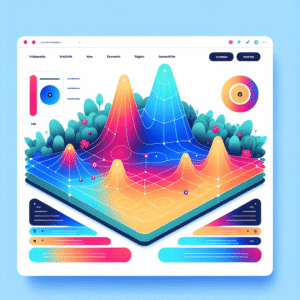
Enhance Your Website’s User Engagement: Best WordPress Plugins for Heatmaps and Click Tracking
Explore top WordPress plugins to enhance user engagement with heatmaps and click tracking. Improve conversions and user experience effortlessly.

Enhance User Experience: Top WordPress Plugins for Heatmaps and 3D Viewing
Discover top plugins to enhance WordPress user experience with heatmaps and 3D models, and learn about privacy-focused solutions.

Unlocking User Insights: Your Guide to WordPress Click Tracking & Session Recording
Explore powerful WordPress plugins to track user clicks and record sessions, boosting your site's performance and conversion rates.