
Mastering User Behavior: Top Tools for Tracking WordPress Clicks and Sessions
Introduction to User Tracking
In today’s digital landscape, understanding user behavior is crucial for optimizing website performance and enhancing user experience. The way users interact with your site offers valuable insights that can help you make data-driven decisions to improve content, navigation, and overall functionality.
By implementing user tracking, you can gather specific data such as which pages are most visited, how long users stay, or even where they drop off. This information is pivotal in tailoring your content and structure to better meet user needs.
User Click Tracking
User click tracking in WordPress is an essential tool for any website owner looking to dive deeper into analytics. With plugins, tracking user behavior simplifies data collection while seamlessly integrating with your site.
Enhancing Engagement
Know what captures your audience’s attention and which stops cause friction in the purchase process. Leverage these insights to refine strategies, attracting more visitors and keeping them engaged.
Benefits of User Click Tracking
Understanding user behavior on your website is akin to unlocking a treasure trove of insights. See what elements draw attention and enhance user experience for optimized conversions.
- Identify elements drawing the most attention.
- Discover user engagement trends.
- Streamline user journey and improve UX.
- Boost conversion rates with data-driven design.
Practical Solution
Implement a WordPress user click tracking plugin to optimize web design and improve conversions by understanding user interactions.
Explore PluginsTop Heatmap Plugins for WordPress
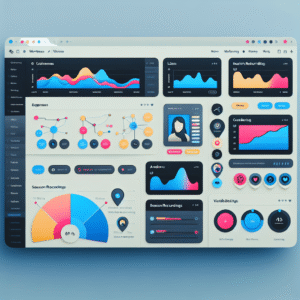
Understanding how users interact with your website is crucial for optimizing the user experience and increasing conversions. WordPress heatmap plugins provide a visual representation of where visitors click, move, and scroll on your site, revealing critical insights into user behavior. Here are some popular options to consider.
Hotjar
All-in-one analytics tool offering beyond-standard heatmaps, session recordings, and surveys. Its easy WordPress integration and free/premium plans make Hotjar a top choice for many.
Learn moreCrazy Egg
Known for simplicity and effectiveness, Crazy Egg offers click maps, scroll maps, and more, with easy setup and interface, ideal for any level user.
Learn moreMouseflow
A lightweight plugin focusing on performance, Mouseflow combines heatmaps, session replays, and funnels without slowing down your site.
Learn moreLucky Orange
Provides a suite of tools including heatmaps, chat, and surveys. Lucky Orange offers detailed insights for refining your website based on visitor behavior.
Learn moreSession Recording Essentials
Unlock deeper insights beyond basic analytics by capturing detailed user behaviors.
Go Beyond Basics
Basic analytics provide metrics, but session recordings reveal the nuances of user interaction. Playback user journeys and identify what encourages or deters their paths through your site.
- Observe entire navigation journeys and understand user interactions in detail.
- Pinpoint problem areas on high exit rate pages and improve layout or content.
- Visualize user paths and decision-making processes on your WordPress site.
Bridging Quantitative and Qualitative
These plugins offer an in-depth understanding by providing the context behind metrics. See why users drop off or abandon carts and make informed improvements.
- Understand the ‘why’ behind the numbers with detailed user activity playback.
- Ensure compliance with GDPR and similar regulations for secure data handling.
- Configure user-centric improvements and elevate site efficiency seamlessly.
Privacy-Focused Options
Explore privacy-centric plugins for user tracking, addressing concerns and demonstrating responsible usage.
Matomo
An open-source tool that offers full control over data, able to be hosted on your own servers, ensuring privacy and compliance with GDPR and CCPA.
Simple Analytics
No personal data is collected, yet delivers clear, actionable insights to optimize performance while respecting privacy.
Why Choose Privacy-Centric Tools?
- Builds trust by demonstrating responsible data usage.
- Ensures compliance with GDPR and CCPA regulations.
- Provides practical insights without compromising user privacy.
3D Viewer Plugin Overview
In today’s digital landscape, visually engaging content is more important than ever. For designers, architects, and product developers, the ability to showcase complex projects with depth and interactivity can be a game-changer. These plugins enable you to seamlessly embed 3D models into your website, transforming static pages into dynamic, immersive experiences.
Interactive Portfolios
Imagine a digital portfolio where visitors can explore every angle of your work, examining the finest details up close, such as texture and geometry. This interactive experience keeps users engaged longer and leaves a lasting impression.
User-Friendly & Customizable
3D viewer plugins come with user-friendly interfaces, making integration simple, even for those without advanced technical skills. Popular plugins like “Sketchfab” or “3D Model Viewer” offer vast customization options.
Integrating User Interaction Plugins
Boost functionality and enhance your understanding of visitor behavior by seamlessly integrating user interaction plugins into your WordPress site.
Identify Your Needs
Choose a plugin that aligns with your objectives. Whether tracking clicks or visualizing navigation, tailor your choice for your site’s unique insights.
- Heatmaps reveal site hotspots.
- Capture user activity effectively.
Ensure Compatibility
Verify compatibility before installation to avoid conflicts. Regularly update both WordPress and plugins to maintain smooth functionality.
- Test for theme and plugin conflicts.
- Keep backups before changes.
Analyze & Adjust
Utilize the plugin’s features to customize data insights. Analyze user behavior to make informed decisions for content and design strategies.
- Focus on strategic pages.
- Adjust based on insights.
Conclusion and Best Practices
Strategically utilize WordPress plugins to enhance usability, boost performance, and optimize user satisfaction for a thriving online presence.
Optimize Functionality
- Enhance usability and accessibility
- Choose SEO and speed boost plugins
Secure & Maintain
- Regularly update plugins
- Test in staging environments
Enhance Performance
- Improve load times
- Ensure compatibility
Focus on User Experience
- Seamless navigation
- Intuitive interfaces
Browse Categories:
Tags for this post:
You may also like
Must-Have WordPress Plugins to Enhance User Experience and Track Engagement
Discover essential WordPress plugins to track user engagement and enhance your site's user experience effectively.

Unlocking Insights: The Best Free WordPress Plugins for Click Tracking and 3D Visualization
Discover plugins to track user clicks and visualize 3D models on WordPress, enhancing user experience at no cost.

Choosing the Best WordPress Plugin for User Click Tracking and Behavior Analysis
Explore essential WordPress plugins for tracking user clicks and enhancing site performance through data-driven optimizations.