
Transforming WordPress User Engagement with Click Tracking Plugins
Understanding Click Tracking in WordPress
In the digital world, understanding how visitors interact with your website is crucial. This is where click tracking comes into play. Click tracking is a powerful tool that helps you comprehend how users navigate your site, what elements of a page draw their attention, and where potential obstacles disrupt their journey.
Benefits of Click Tracking
- Identify popular links and underperforming buttons.
- Discover content gaps and optimize user navigation.
- Enable data-driven design decisions for higher conversion rates.
Transformative Insights
When you track user behavior with a WordPress plugin, you gain insights that foster informed decisions enhancing overall user experience. A click tracking tool allows businesses to tailor their layout and content, improving user satisfaction and SEO performance.
The Benefits of Using Heatmaps
Visualize User Interaction
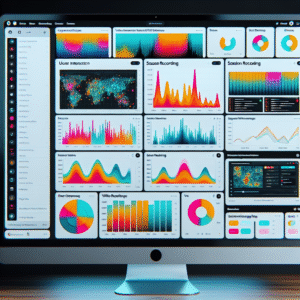
Heatmaps offer an intuitive view of user engagement, showcasing where users click, scroll, and spend time. This information empowers website optimization and enhanced user experiences.
Reveal User Engagement Patterns
Identify patterns that might be missed, like clicks on non-link elements. Use this insight to add interactive features and improve design elements strategically.
Focus on Privacy
Leverage privacy-focused plugins to comply with regulations such as GDPR, ensuring data is collected responsibly while gaining valuable insights.
“Heatmaps transformed our understanding of user behavior, improving both engagement and conversion rates!”
— Satisfied User
Comparing Top Click Tracking Plugins
Crazy Egg
Crazy Egg offers intuitive heatmap tracking to visualize user behavior on your site, with scroll maps, click maps, and hover insights.
- User-friendly interface
- Detailed analytics
- Enhances user engagement
Mouseflow
Mouseflow combines click tracking with session replay, revealing user journeys and optimizing the user experience with funnel and form analytics.
- Session replay capability
- Funnel and form analytics
- Identifies user pain points
WP Click Tracker
A cost-effective solution for basic click tracking, WP Click Tracker is perfect for small businesses seeking essential user interactions insights.
- Cost-effective
- Easy installation and navigation
- Minimal yet essential
Installing and Configuring a Click Tracking Plugin
Installing and configuring a click tracking plugin can significantly enhance your understanding of user interactions on your website. Below is a practical guide to help you select, install, and configure a click tracking plugin effectively.
Step-by-Step Installation Guide
- Select a Plugin: Begin by researching plugins that fit your needs. Some popular options include Hotjar, Crazy Egg, and Mouseflow.
-
Install the Plugin:
- Navigating to your WordPress admin dashboard.
- Go to ‘Plugins’ → ‘Add New’.
- Type the plugin name in the search bar, click ‘Install Now’, then ‘Activate’.
-
Configure the Plugin:
- Create an account if required and obtain an API key if needed.
- Add tracking code into the site’s header following the plugin’s guide.
- Adjust settings to define what you want to track.
- Test and View Data: Navigate to your site and perform test clicks to ensure data is being collected.
Maximizing User Insights with Session Recording
Enhance Your Analytics Strategy
Understanding user behavior is crucial in website optimization. Session recording complements click tracking, providing full user interaction context. It’s a game-changer for comprehensive insights.
- Capture full user interaction context
- Identify obstacles and improve experiences
- Visualize user journeys on WordPress
Boost Conversion Rates
By re-visiting user journeys, discern drop-off points, and inform conversion-boosting decisions. Transform challenges into opportunities for optimization through session recording.
Create a Holistic Understanding
Combine session recording with behavior tracking to reveal user interactions. Address both visible and hidden cues with precision and insight.
Real-World Examples and Case Studies
GetMeThroughTheWeek.com
Doubled user engagement metrics with interaction heatmaps.
By integrating a plugin to visualize user interactions, the team streamlined content placement and improved the user interface significantly.
FashionTipsHub.com
Improved user experience with essential plugins.
Enhanced loading speed, intuitive navigation, and feedback features led to a 30% increase in returning visitors within six months.
Why These Examples Matter
These case studies highlight the transformative power of plugins in creating user-friendly, engaging sites. By tailoring plugins to specific needs, site owners can significantly boost user satisfaction and retention.
Explore MoreTips for Small Businesses Using Click Tracking
Click tracking offers invaluable insights that drive growth and improve conversions. Gain powerful insights without significant investment by following these expert tips.
Identify Key Pages
Focus on critical pages like landing pages and checkout pages to track essential user interactions.
Use Free WordPress Plugins
Enhance your click tracking efforts with user-friendly plugins that don’t require advanced technical knowledge.
Align Clicks with Business Goals
Track clicks that support strategic business objectives like newsletter sign-ups or product sales.
A/B Testing with Insight
Use click data to run A/B tests and refine your web elements to improve conversion rates.
Analyze and Adjust
Continuously analyze your click tracking data and adjust strategies to improve SEO and user engagement.
Ensuring Privacy and Compliance
Address privacy concerns and compliance, following the practical applications with necessary legal considerations to safeguard both businesses and users.
Understanding Regulations
Regulations like GDPR and CCPA are essential for protecting user data, offering clear insights and control over information usage.
- Compliance mitigates legal risks and fosters trust.
- Demonstrate commitment to privacy with transparent data practices.
Implementing Privacy-Focused Solutions
Leverage privacy-focused WordPress heatmap solutions to anonymize and protect user data efficiently.
- Anonymize data at the source to prevent identification.
- Use encryption techniques to safeguard personal data.
It’s critical to communicate openly with users regarding data collection and consent, ensuring options to manage their preferences.
Browse Categories:
You may also like

Essential WordPress Plugins to Boost User Interaction and Insights
Discover essential WordPress plugins that boost user interaction and provide valuable insights to enhance your website's performance.

Unveil Visitor Insights: Discover the Best WordPress Heatmap and User Click Tracking Plugins
Discover essential WordPress plugins to track user clicks and behaviors, accelerating your website conversions effectively.
Boosting Engagement: The Best WordPress Plugins for User Interaction Tracking
Discover top WordPress plugins for tracking user interactions and boost your site's engagement and user experience.