
Transforming User Experience: Best WordPress Plugins for User Behavior Tracking
Introduction to User Behavior Tracking in WordPress
User behavior tracking in WordPress is an essential strategy for site owners who wish to enhance their website’s performance and improve user experience. At its core, it involves collecting and analyzing data about how visitors interact with your website, from the pages they visit and the path they take to specific actions like clicks and form submissions.
Data-Driven Decisions
Understanding how individuals engage with your site allows you to make data-driven decisions that can optimize website functionality and user satisfaction.
Increase Conversion Rates
Implement changes based on evidence to strategically guide visitors towards actions like newsletter signups or purchases.
Explore the Tools & Plugins
Delve into tools like heatmaps and analytics integrations to enhance user engagement and boost site performance as part of a robust strategy to achieve your website goals.
Discover MoreUnderstanding WordPress Heatmaps
Discover how heatmap plugins reveal user interactions, helping you analyze and enhance your site’s behavior.
The Power of Heatmaps
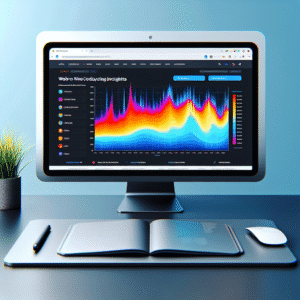
Heatmaps are graphic representations of data that illustrate visitor interactions with your website. These visual tools use warm colors to highlight areas of high activity and cooler colors for lesser activity, providing a clear picture of user behavior on your site’s pages.
- Identify high interaction zones like clicks or scrolls.
- Determine the effectiveness of calls to action.
- Visualize user engagement across different sections.
Why Use Heatmaps?
By converting intricate data into easy-to-understand visuals, heatmaps allow you to:
Top WordPress Plugins for Click Tracking
Discover how to pinpoint areas of engagement and conversion improvement with the best WordPress click tracking plugins.
MonsterInsights
Seamlessly integrates with Google Analytics, providing detailed reports on user clicks, including affiliate, button, and external link tracking.
- Detailed user click reports
- Easy Google Analytics integration
Crazy Egg
Offers heat mapping to show precisely where visitors click, aiding in refining site design to boost engagement and conversions.
- Heatmapping features
- Identifies high/low engagement areas
Hotjar
Tracks user clicks, records sessions, and gathers feedback for a comprehensive view of user interaction and site performance.
- Session recording capabilities
- Polls and surveys for feedback
Why Session Recording Enhances User Insight
Session recording is a game-changer for understanding how visitors interact with your website. By implementing a session recording plugin on your WordPress site, you gain access to invaluable insights into user behavior, which can transform your approach to optimizing the user experience.
These detailed recordings unveil the user journey within your digital space, highlighting pain points that might otherwise go unnoticed. For example, if users consistently abandon their carts at a certain page or leave soon after landing on your homepage, session recordings reveal these critical drop-off points, allowing you to address issues directly.
Moreover, session recordings can help demystify the gap between high traffic and low conversions, empowering you to make data-driven decisions to enhance usability and design.
-
Replay exact user navigation paths on your site.
-
Identify bottlenecks and improve site-wide conversions.
-
Gain profound insights into user interactions.
Lightweight Alternatives to Heavy Heatmaps
Discover efficient plugins that maintain site speed while providing essential insights into user behavior.
Heatmap for WordPress
Designed for efficiency, this tool visualizes high-attention areas without data bloat. Seamlessly integrates to optimize sections critical to user engagement.
Mouseflow
Privacy-forward, this plugin offers anonymous user interaction tracking, compliant with GDPR, ideal for maintaining user trust while gaining insights.
Crazy Egg
Protects data privacy while mapping user behavior, ensuring performance isn’t compromised. Features robust data protection to uphold user trust.
Maximizing Conversions with the Right Plugins
OptinMonster
Recognized as the best plugin to improve conversions, OptinMonster offers advanced targeting features to display personalized offers based on visitor behavior. Boost your chances of conversion with this must-have tool.
MonsterInsights
Seamlessly integrating with Google Analytics, MonsterInsights provides comprehensive user data directly in your WordPress dashboard. Make informed decisions by analyzing key metrics like bounce rate and session duration.
WPForms
Enhance user experience with WPForms, allowing easy creation of high-converting contact forms. Increase user engagement with streamlined communication.
Wordfence Security
Ensure site performance and security with Wordfence Security, maintaining an optimized, trustworthy user experience. Protect your site and build user confidence.
Integrating 3D Visualization on WordPress Sites
In a digital landscape that continuously evolves, integrating 3D visualization into your WordPress site can significantly set your online presence apart. A WordPress 3D viewer plugin can turn static webpages into visually engaging experiences, capturing user attention and enhancing interaction.
Imagine transforming a conventional e-commerce website into a digital showroom where customers explore virtual replicas of your products. This immersion not only captivates visitors but increases site time, improving SEO metrics and conversion likelihood.
Consider WordPress plugins like WooCommerce 3D Model Viewer or AR for WordPress to simplify 3D model integration, supporting formats such as OBJ or STL. Keep your site engaging and up-to-date with these interactive elements.
Explore the transformative potential of 3D visualization in industries from fashion to architecture. Differentiate your brand in a crowded market and engage audiences uniquely.
Contact UsConclusion and Key Takeaways
In wrapping up our exploration of the most impactful plugins, it’s clear how they can be game-changers in enhancing user experience on your website. From boosting site speed to offering interactive elements, these tools are essential in keeping visitors engaged and satisfied.
Boost Site Speed
Leverage the best WordPress plugins 2025 to transform your site from average to exceptional.
Interactive Elements
Engage your audience with tools that offer interactive elements for a memorable user experience.
User Interaction Insights
Understand user behavior with plugins that visualize interactions, refining your strategies effectively.
Ultimately, the right combination of plugins not only amplifies your site’s functionality but also makes it more user-friendly and adaptive to your audience’s needs. Now is the time to delve into these plugins, test their capabilities, and harness their full potential to transform your website into a powerful digital presence.
Explore Our ToolsBrowse Categories:
You may also like

Unlocking Website Insights: The Best Plugins for User Click Tracking and 3D Modeling on WordPress
Discover the best WordPress plugins for user click tracking and 3D modeling to enhance site performance and user engagement.

Top WordPress Heatmap Plugins to Enhance User Experience
Discover the top WordPress heatmap plugins to enhance your site's user experience and boost conversions with insightful tracking.
Enhancing User Experience with WordPress Heatmap Plugins
Explore the top WordPress heatmap plugins to improve user experience and conversions, with guidance on ethical tracking and plugin integration.