
Maximizing Engagement: The Best WordPress Plugins for User Interaction and Conversion
Understanding User Interaction on Your WordPress Site
To optimize your WordPress site for engagement and conversions, it’s critical to understand user interaction. This means assessing how visitors interact with your website, including where they click, how they navigate through your pages, and what elements capture their attention.
Tracking user behavior provides valuable insights into the effectiveness of your design and content. It can help answer vital questions such as: Are users finding what they need? Where do they drop off in the conversion process? Which pages hold their attention the longest?
Real-World Example: E-commerce Insights
Using a WordPress user click tracking plugin, site owners can identify which products attract the most attention and adjust their marketing strategies accordingly. These plugins can reveal patterns and trends that might not be immediately apparent through standard analytics.
Incorporating user interaction tracking is not just about collecting data, but transforming it into a roadmap for business growth. Tailor content and improve site architecture to enhance user experience and drive your site’s success.
Get in Touch for a ConsultationChoosing the Right Tools for User Interaction
Navigating the wide array of WordPress plugins to enhance user interaction analysis can seem daunting, but identifying the right tools is crucial for effectively visualizing and understanding visitor behavior. When selecting a plugin, consider what specific insights you need.
Heatmap Plugins
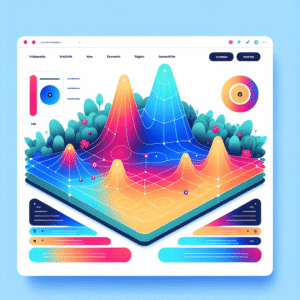
WordPress heatmap plugins help you see which areas of your page attract the most attention or clicks. They provide visual data through color gradients to optimize page layout and content placement.
Click Tracking Plugins
These tools help pinpoint interaction by tracking where users click on your WordPress site, helping you identify navigation issues or the most popular content.
User Activity Recorders
Plugins that record user activity on WordPress provide comprehensive insights, capturing user sessions, mouse movements, and scrolls for a fuller picture of site navigation.
Top Heatmap Plugins for WordPress
Choosing the right heatmap plugin for your WordPress site can unlock visual analytics that provide deep insights into your user’s journey.
Hotjar
Free WordPress heatmap plugin offering heatmaps, session recordings, and surveys to provide a holistic view of user engagement.
- Comprehensive data visualization
- Free version available
Heatmap for WordPress
Known for its clean interface and minimal impact on site performance, ideal for speed-conscious sites.
- Lightweight and efficient
- Essential insights without bulk
Crazy Egg
Privacy-focused heatmap tool with advanced anonymization ensuring data privacy without losing actionable insights.
- Advanced anonymization features
- Easy-to-interpret heatmaps
Effective Session Recording Options
Capture user journeys & enhance experiences with the best session recording plugins.
Mouseflow
Mouseflow offers heatmaps, funnel tracking, and form analytics along with powerful session recording capabilities. Analyze user behavior extensively with ease.
Lucky Orange
An alternative to Hotjar for WordPress, Lucky Orange offers dynamic heatmaps, conversion funnels, and live chat, providing comprehensive data for optimization.
Enhancing Conversions with User Data
Utilizing user data from plugins can significantly enhance conversions and boost overall user satisfaction. Discover how transforming analytics into actionable insights can propel your website toward success.
Visualize user interactions with heatmaps, identifying where users click and where they abandon pages for improved user experience.
Use analytics to track elements like call-to-action buttons and A/B test for variations that resonate with your audience.
Tailor website content based on user preferences to enhance engagement and improve conversion rates.
Integrating 3D Viewers for an Immersive Experience
Today’s digital landscape is about crafting engaging experiences. Integrating 3D viewers can transform your website, offering detailed exploration of products and designs, akin to rotating a chair or zooming into a fabric’s texture.
-
Enhanced Interaction: View, rotate, and explore items from all angles for a richer understanding.
-
Virtual Tours: Real estate uses 3D for property tours, fashion displays garments fit and movement.
-
Seamless Integration: Plugins like Sketchfab and 3D Viewer make embedding straightforward.
Finding Free Resources for Small Businesses
Elevate your business with free tools that enhance efficiency and user experience.
WP Super Cache
Boost site speed by creating static versions, reducing load, and enhancing user experience.
Yoast SEO
Improve search visibility with step-by-step optimization, leveraging keywords and content readability.
Wordfence Security
Protect your site with robust firewalls and malware scanning, ensuring secure operations.
Smush Image Compression
Maintain fast load times by compressing images without compromising quality.
Contact Form 7
Facilitate seamless client communication with easy-to-setup forms.
Jetpack
Monitor traffic, related posts, and uptime with an array of useful tools.
Ensuring Privacy and Compliance
In an era where data privacy is paramount, ensuring your website complies with privacy laws when using tracking plugins is not just a legal requirement but a fundamental ethical practice.
Comply with Regulations
Compliance with regulations like GDPR or CCPA can foster user trust and enhance your brand’s reputation.
- Anonymize data and obtain explicit user consent.
- Handle IP addresses and behavior tracking cookies transparently.
Choose Privacy-Centered Tools
A privacy-focused WordPress heatmap offers a way to track user interaction ethically.
- Respect user privacy while gaining insights.
- Ensure your data usage aligns with ethical standards.
Openly communicating your data collection policies not only meets legal standards but also builds trust with your audience. When users know that their data is being handled responsibly, they’re more likely to engage, leading to better interaction insights and business growth.
Contact UsBrowse Categories:
You may also like

Enhance User Experience: Must-Have WordPress Plugins for Heatmaps and User Behavior Tracking
Discover essential WordPress plugins to enhance user experience, track behavior, and boost conversions seamlessly.

Maximize Engagement: The Top WordPress Heatmap and User Activity Plugins
Discover the top WordPress plugins for tracking user engagement, session recordings, and boosting conversions effortlessly.
Enhance Your Website’s User Engagement: Best WordPress Plugins for Heatmaps and Click Tracking
Explore top WordPress plugins to enhance user engagement with heatmaps and click tracking. Improve conversions and user experience effortlessly.